Complete guide to meeting room and video conferencing design for 2026
TL;DR: Using ordinary consumer electronics in corporate meeting rooms demonstrably increases hidden operating costs (TCO) and contributes to employee meeting fatigue.
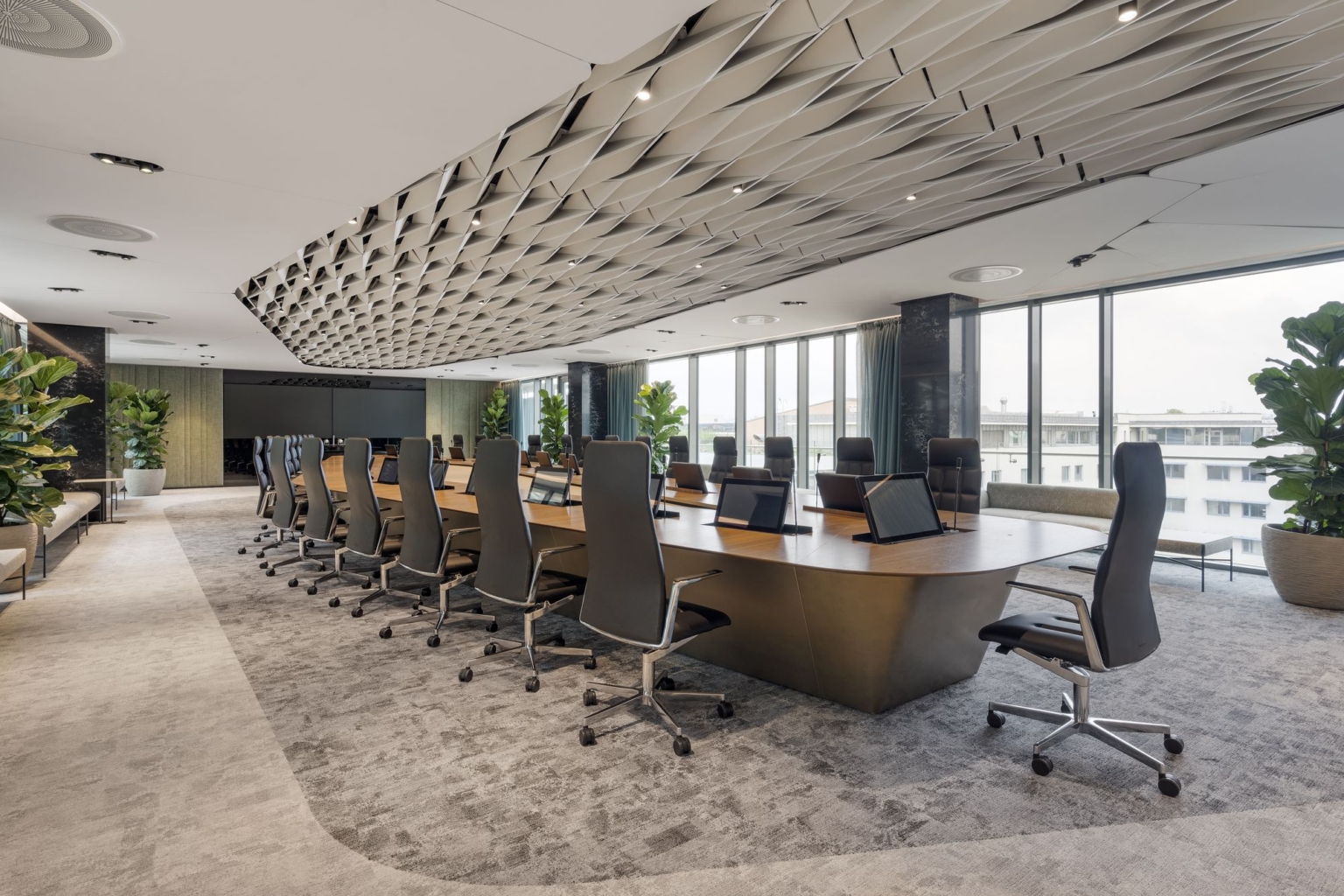
This guide explains the key principles for architects, IT specialists and top management – from handling poor acoustics and choosing professional hardware and platforms to setting global technology standards through the PSNI alliance.
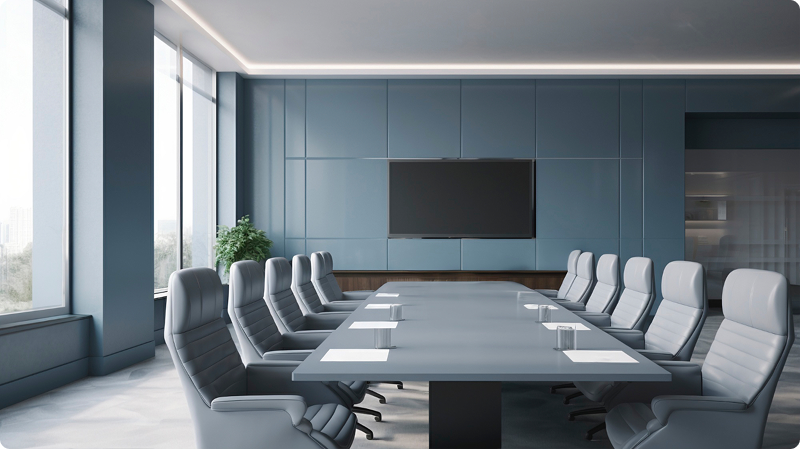
Why do a regular TV and an e-shop camera no longer belong in a corporate meeting room?
Basic consumer electronics are not designed for 8 to 12 hours of daily operation in a commercial environment. Their use leads to frequent video dropouts, poor speech intelligibility and constant pressure on the IT department.
Reliable video conferencing is now critical business infrastructure. In practice, we often see a situation where architects design visually timeless, glass-heavy office spaces, while the purchasing department buys ordinary consumer TVs and basic webcams.
During the first strategic video call, the limits of this approach become obvious immediately:
- Sound reflections in a hard, acoustically untreated room make the conversation difficult to understand.
- A small webcam microphone does not have the reach or sensitivity to capture people sitting at the far end of the table.
- A discounted TV unexpectedly turns off during a meeting because of built-in power-saving modes.
The result is the phenomenon known as meeting fatigue. The company loses productive time, while the IT department spends hours on trivial callouts and screen restarts.
Based on our practical experience, long-term reliable meeting room operation begins with early alignment between the following three stakeholders:
- The architect: Responsible for visual clarity and integrating technology without disrupting the design of the space.
- The IT specialist: Requires AV devices to be isolated in separate networks (VLANs), information security and central management of the entire device fleet.
- The chief financial officer (CFO): Focuses on budget protection (TCO) and predictable guaranteed service availability without future hidden costs.

Which technologies should be chosen for different types of corporate spaces?
Each type of meeting room has fundamentally different requirements for hardware and acoustics. There is no universal solution that works equally well in every space; the design must always reflect room capacity and geometry.
It is wrong to assume that a technical specification from a large boardroom can simply be “scaled down” for a small huddle room. For the corporate ecosystem to work reliably, we divide workspaces into four basic AV integration segments:
Equipment for phone booths and huddle rooms (1-3 people)
Smaller spaces and acoustic booths are mainly used for focused work and quick synchronization meetings for up to three people. Maximum simplicity is the priority here.
- Solution format: The ideal approach is BYOD (Bring Your Own Device). The intelligence of the system is not in the room, but directly in the employee’s personal laptop.
- How it works in practice: When the employee enters, they connect a single USB-C cable to their computer. This one connection handles laptop charging, video output to the screen and synchronization with the camera and compact wall-mounted audio device.
- Critical factors: Particular attention must be paid to sufficiently dimensioned and quiet ventilation in acoustic booths, as well as full sound insulation from the surrounding open-space area.
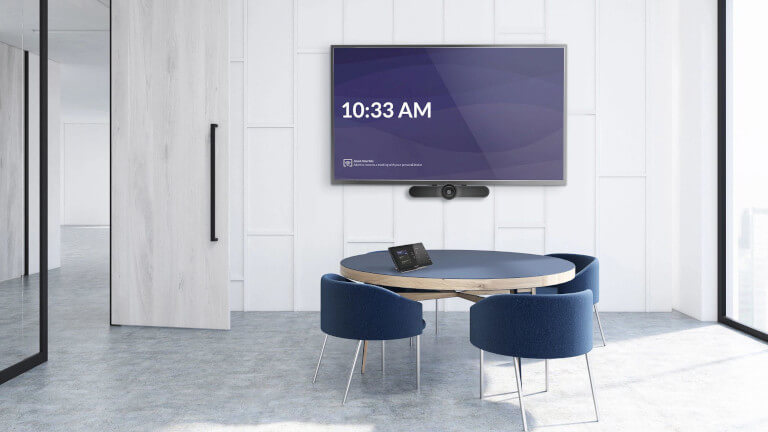
Standard for a medium-sized meeting room (4-8 people)
This is the most commonly used segment for daily team collaboration. For spatial and technological reasons, a laptop on the table is no longer enough here.
- Solution format: Professional all-in-one video bars are a proven choice. They elegantly combine an intelligent camera, precise directional microphones and powerful speakers into one compact unit under the display.
- How it works in practice: Calls are started from a central touch control panel on the table. Participants do not waste time looking for cables; the meeting starts with a simple tap of the “Join” button.
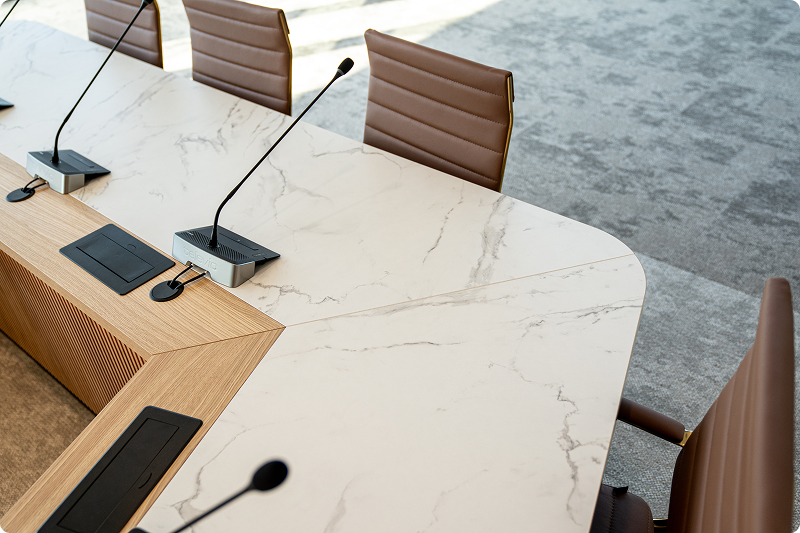
- Critical factors: With longer rectangular tables, the built-in microphone in the video bar usually does not cover the entire length. In that case, the integrator expands the system with discreet tabletop extension microphones.
Technologies for an executive boardroom (10+ people)
These are top-management spaces designed for meetings with VIP clients. The technology must be visually discreet, while creating the impression that both sides are sitting at the same physical table.
- Solution format: Video bars are not used in boardrooms. The system consists of active video direction, large-format displays and distributed microphones without cables on the table.
- How it works in practice: Employees’ voices are captured by professional ceiling microphone arrays. Audio is distributed through DSP amplifiers and ceiling speakers. Intelligent camera systems support meeting equity by actively and smoothly cutting to the current speaker.
- Critical factors: These rooms often contain large tables made from hard materials and glass partitions that reflect sound heavily. Eliminating this echo requires precise acoustic calculations and suitable acoustic surface treatments.
Concept for a multifunctional and town hall space (50+ people)
Large spaces with movable partition walls are used for company-wide events or major presentations and can change their layout from one day to the next.
- Solution format: LCD TVs are replaced by massive modular seamless dvLED displays. The system is supported by a full distributed PA (Public Address) sound system for in-room reinforcement and external transmission.
- How it works in practice: Audio matrix processors automatically adjust audio and video routing based on the current position of the movable partition walls.
- Critical factors: A common challenge is structural load capacity. LED walls weigh hundreds of kilograms, and the cable route preparation in concrete forms a complex network requiring close coordination with structural engineers months before the building opens.
Why is audio more important than video for call quality?
The human brain can easily tolerate a slight drop in resolution or a choppy video stream if the other person’s speech remains understandable. But when a room suffers from strong echo and distorted sound, mental effort, headaches and speaker fatigue appear almost immediately.
That is why the professional segment follows the unwritten rule of Audio First. Even a top-tier, very expensive microphone installed in an empty glass meeting room with a concrete ceiling cannot cheat physics. It simply captures the room’s echo perfectly and sends a high reverberation time (RT60) to the remote side.
Improving acoustics in glass and concrete offices
Modern interiors mainly use reflective surfaces, so engineers use room simulation software to integrate sound-absorbing elements into the space without compromising the original design:
- Ceiling treatment: Using perforated acoustic plasterboard or freely suspended design panels and ceiling baffles.
- Glass and wall treatment: Installing premium heavy acoustic curtains, using upholstered conference chairs or deploying modern green moss walls that reduce reflections while visually refreshing the zone.
Practice shows that the greatest savings in time and money come from involving the AV integrator already at the first architectural drawing stage. This reliably prevents later demolition or expensive surface treatments needed to remove echo after construction is complete.
The impact of lighting and camera-view ergonomics
A strong source of daylight directly behind the speaker blinds even the best camera sensors (backlighting), which makes faces appear as dark silhouettes. Three key lighting rules apply:
- Motorized blackout or screen blinds, so natural light can be controlled from a panel with a single touch.
- Choosing a neutral white color temperature, around 4000 K, to create a natural skin tone in front of the cameras.
- Avoiding direct ceiling spotlights shining vertically onto participants’ heads, as they create tiring shadows around the eyes.
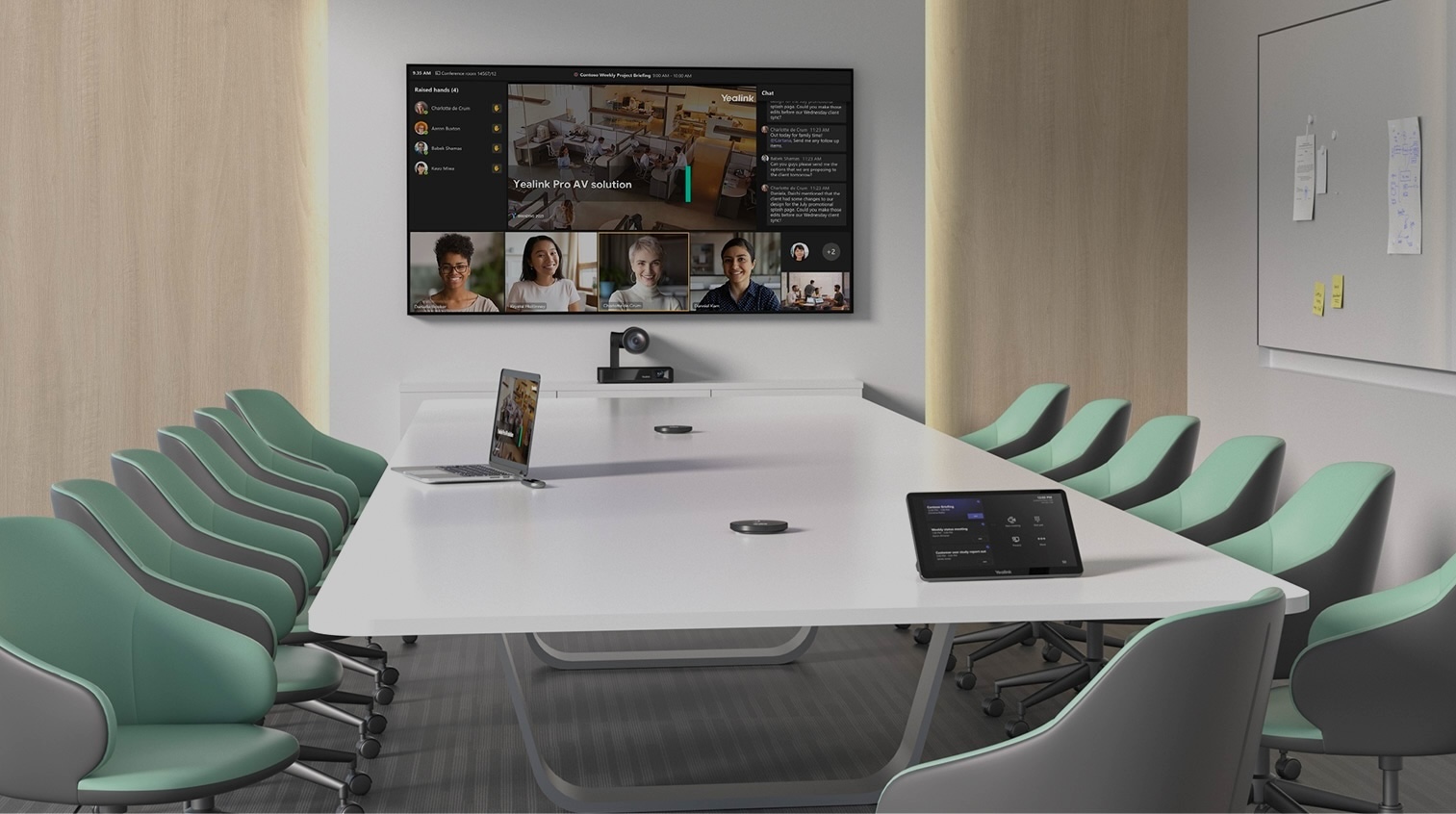
What key hardware components make up a high-quality video call?
Choosing enterprise video conferencing is not the same as studying a supermarket leaflet. A professional ecosystem is built from modular components designed for commercial use, with precise remote management and advanced signal processing.
Displays: The difference between a commercial LFD panel and a regular TV
The reason commercial LFD (Large Format Display) panels cost more than standard living-room TVs lies in operating hours. While a regular TV is designed for a few hours of stable operation per day, corporate LFD panels are built for continuous 16 to 24-hour operation without losing key performance characteristics.
- Elimination of burn-in and glare: A special anti-reflective layer reduces distracting reflections for participants, while the panel is designed to handle long daily display of static content such as Excel reports or insurance presentations without burn-in risk.
- Secure monitoring: The panel does not interrupt an important audit or partner meeting with unexpected installation pop-ups from its internal smart OS. Professional displays can be controlled directly through RS-232 and IP data ports.
DSP and intelligent directional microphones
The central audio control element in a meeting room is the DSP (Digital Signal Processor).
It actively suppresses acoustic echo in real time, filters building noise, air-conditioning hum or chair creaks. Using microphone arrays and beamforming technology, the system intelligently captures only the person who is speaking.
This keeps the table clean and representative, without unnecessary cables and devices.
Intelligent cameras with auto-tracking
A modern commercial camera no longer captures only one static wide shot of a long meeting room where people visually disappear. Today’s cameras include artificial intelligence features such as auto-tracking and AI framing.
The camera acts like a virtual TV camera operator – it reliably recognizes seated people by body and face, zooms in and sharply frames the person currently speaking. This removes dead, unused shots of empty walls.
Content sharing: Cable connection versus wireless presentation
A meeting room must not create frustrating moments where people search for the correct connector. The ideal scenario is elegant and fast one-click wireless content sharing, for example through systems such as Barco ClickShare or Teams Casting.
Despite the flexibility of wireless systems, every modern meeting room should also include a physical USB-C or HDBaseT connection integrated either into a table box or a floor box. This “Plan A” ensures stable transmission without pairing under any circumstances.
Control systems and “One Touch Join” simplicity
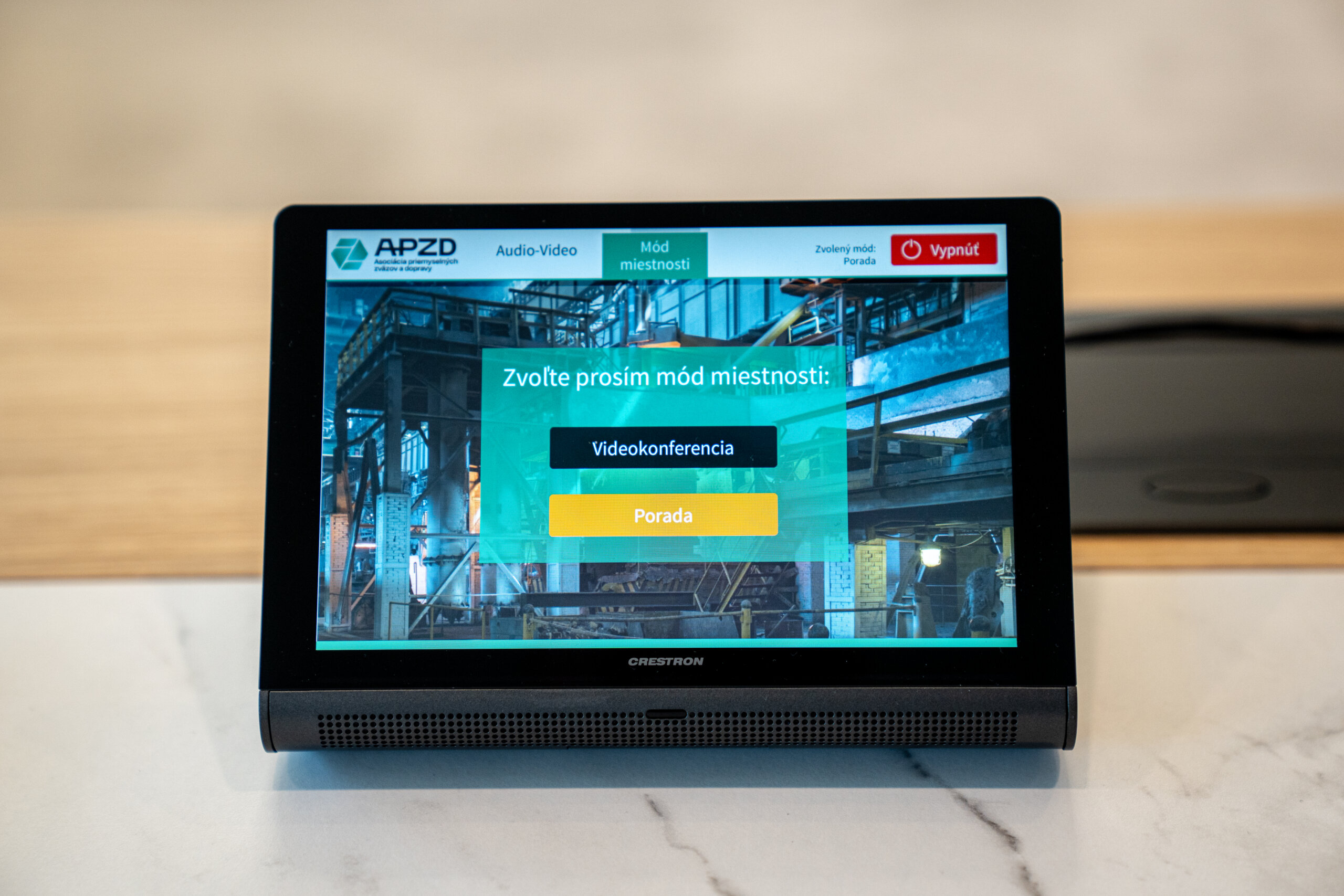
Even the most expensive installation fails as a project when a user without IT training cannot start a video call smoothly. A proven standard for full employee adoption is therefore a central touch control panel placed in the middle of the table.
Starting a meeting must not involve a sequence of source switching on a TV remote control.
When people enter the room, the technology should wake up automatically, and the only required action should be pressing one large green join button – the One Touch Join concept.
Which software platform should be chosen for corporate meeting rooms?
A native dedicated environment, such as Microsoft Teams Rooms, provides much better stability because an autonomous room computer is installed directly in the room’s technical area behind the display.
This clearly outperforms the strategy of relying on personal laptops for corporate calls without any IT guarantee, known as the BYOD model.
Benefits of native environments (Microsoft Teams Rooms / Zoom Rooms)
Video conferencing rooms become a permanent digital identity embedded directly into the company intranet and calendar environment. They run on their own dedicated PC, so they do not consume the memory and performance of the personal laptop in front of the presenter.
Such a meeting room reads its own schedule directly from the Office environment.
It gives the presenter a stable, smooth and reliable environment without sudden restarts of unrelated applications during screen sharing.
Integrating video conferencing into IT infrastructure and VLAN networks
Meeting room technologies and access points must always comply with corporate information security standards:
- Network segmentation (VLAN): By separating video conferencing technology into its own VLAN, you prevent unwanted external access and protect sensitive storage and business infrastructure in the main network.
- QoS (Quality of Service): By assigning higher priority to audio and video packets, the network ensures that the video call remains stable even under load and does not suffer from choppy audio. This also prevents a call with London from breaking up just because someone else in the office is downloading a large file.

What are the real costs of equipping and operating a modern meeting room?
The cost assessment of a video conferencing solution must never be based only on the initial purchase price of hardware from a dealer.
The real financial burden appears after the first months of operation, usually when late or hidden costs start to emerge from interrupted strategic meetings and time-consuming troubleshooting outside the capacity of the internal IT team.
Hidden operating costs
A company may reduce the initial invoice by buying a low-cost set from a regular retail channel, but over time it faces growing operating costs and issues caused by using only a basic, non-professional platform. This is the problem of high TCO – Total Cost of Ownership.
The yearly cost includes unproductive time and downtime for managers, uncertain and labor-intensive meeting setup, poor presentation quality, and payments for expensive external interventions that compensate for an overburdened IT department.
The AVaaS model (Audio-Visual as a Service) instead of CAPEX
Modern CFOs increasingly prefer purchasing a predictable service through the AVaaS (Audio-Visual as a Service) model. The company avoids large upfront fixed CAPEX investments in hardware.
Instead, it pays monthly invoices only for the guarantees it needs, while the technology remains under strict proactive management. The integrator then guarantees response times through SLA commitments.
The sustainability of the model also includes a logical, planned replacement of old components with new devices once the equipment reaches the end of its lifecycle, often after five years.
How can technological incompatibility across international branches be avoided?
Fragmented one-off purchases from local e-shops in smaller isolated branches create unnecessary complexity for international management teams moving between company offices.
Users face different displays and incompatible interfaces, which creates panic instead of starting the meeting. Central helpdesk diagnostics are also delayed because access and support structures are fragmented.
The role of a global alliance (PSNI) in standardization
To overcome these obstacles, industry leaders created a structure for full integration harmonization known as PSNI Global Alliance.
Its certification removes the disadvantages of isolated local resellers and guarantees consistent synergy from the first user click anywhere in the world.
- A design created for a meeting room in Washington can be implemented with identical logic for a headquarters, for example in Bratislava, by an authorized alliance partner. This ensures the same user experience, the same interface look and feel and the same touch-panel workflow, without the need for repeated staff training or branch-specific IT adaptation.
- Technical service for similarly equipped meeting rooms is handled centrally, without redirecting a travelling client between small local vendors or independent repair providers whose guarantees may not matter on a global scale. (For the Slovak Republic, the established and direct PSNI integration partner is MediaTech Central Europe a.s.).

How should a tender (RFP) for corporate AV technology be formulated correctly?
Practice shows that successful RFPs no longer focus only on a list of specific hardware models and the lowest price. A professional specification describes the desired process, user experience and resulting functionality – for example, an 8-hour meeting running smoothly without technical dropouts. This gives the system integrator room to propose suitable technologies with a guaranteed outcome.
The most common mistakes when evaluating price offers
- Decision-making based only on e-shop component prices: If a company compares offers only by the purchase price of the display, camera and microphone, it ignores essential services. The true value of integration lies in software calibration of the image, acoustic measurement and DSP processor configuration. Without these professional steps, even expensive technology suffers from echo and dropouts.
- Underestimating the difference between an e-shop seller and a system integrator: A standard e-shop usually only delivers the hardware to the company reception, leaving the entire installation burden to an already overloaded internal IT department. A certified system integrator, on the other hand, installs the full AV structure without disrupting company operations, calibrates it completely and hands it over to users with full service SLA guarantees.
How to start modernizing corporate video conferencing?
Moving to a professional AV standard does not automatically mean replacing every screen in the building immediately and at high cost. Based on our experience, the best results come from a process that starts with a professional audit of existing spaces.
This audit accurately identifies the most critical points – whether it is problematic acoustics in a specific executive boardroom or frequent loss of productive time caused by cable switching in smaller meeting rooms.
If your company is facing similar challenges, or if you are fitting out completely new spaces, we will be happy to have a no-obligation conversation with you. Together, we will review the integration options from the MediaTech portfolio, propose a suitable technology standard and show how the AVaaS model can reduce your long-term total operating costs (TCO). Give your corporate meetings back the professionalism and smoothness your people and clients can rely on in every situation.