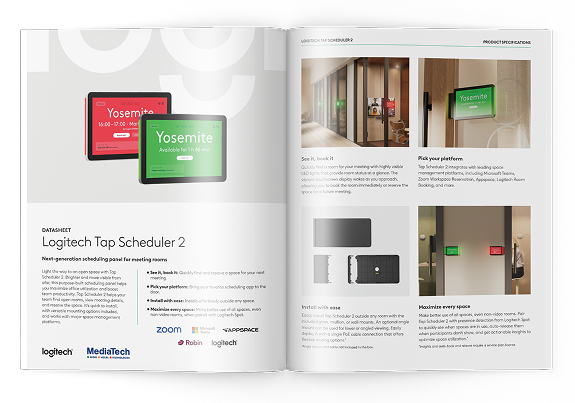
Logitech Tap Scheduler 2: Smart Meeting Room Booking
Using meeting rooms efficiently is an important part of running a modern workplace.
Empty rooms, unclear bookings and avoidable calendar conflicts can disrupt the working day.
Logitech Tap Scheduler 2 lets you check availability, see upcoming meetings and book a room right at the door.
This second-generation touch scheduling panel combines a clear 10.1-inch display, prominent LED room status lights and support for leading room management platforms.
What is Logitech Tap Scheduler 2 and how does it work?
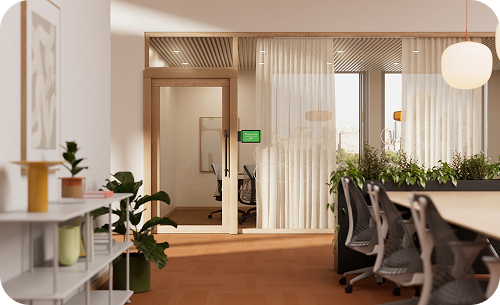
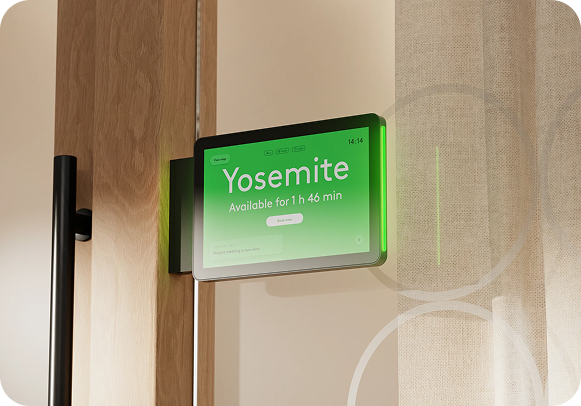
Logitech Tap Scheduler 2 is a touch scheduling panel designed to sit outside meeting rooms, conference rooms and other shared spaces. Staff can see whether a room is available, check upcoming meetings and make a booking through a compatible scheduling platform.
The interface is easy to use, even for first-time users.

Key features
- Clear display of meeting room availability.
- Prominent LED status lights visible from a distance.
- Touch controls for bookings and meeting details.
- Integration with leading meeting room management platforms.
- Automatic screen wake when someone approaches.
- Simple mounting on glass, walls or door frames.
- Remote management through Logitech Sync.
Logitech Tap Scheduler 2 takes the guesswork out of finding a free room and makes it easier to organise the working day.
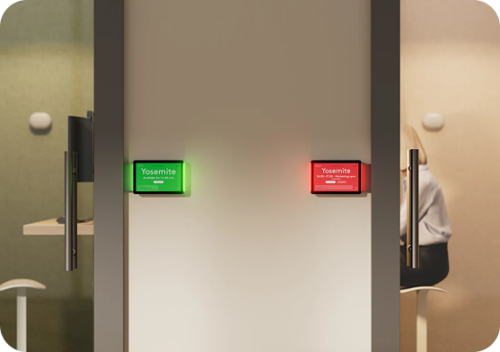
See room availability at a glance with LED status lights
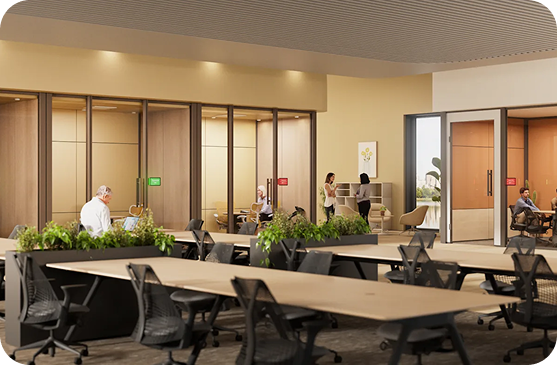
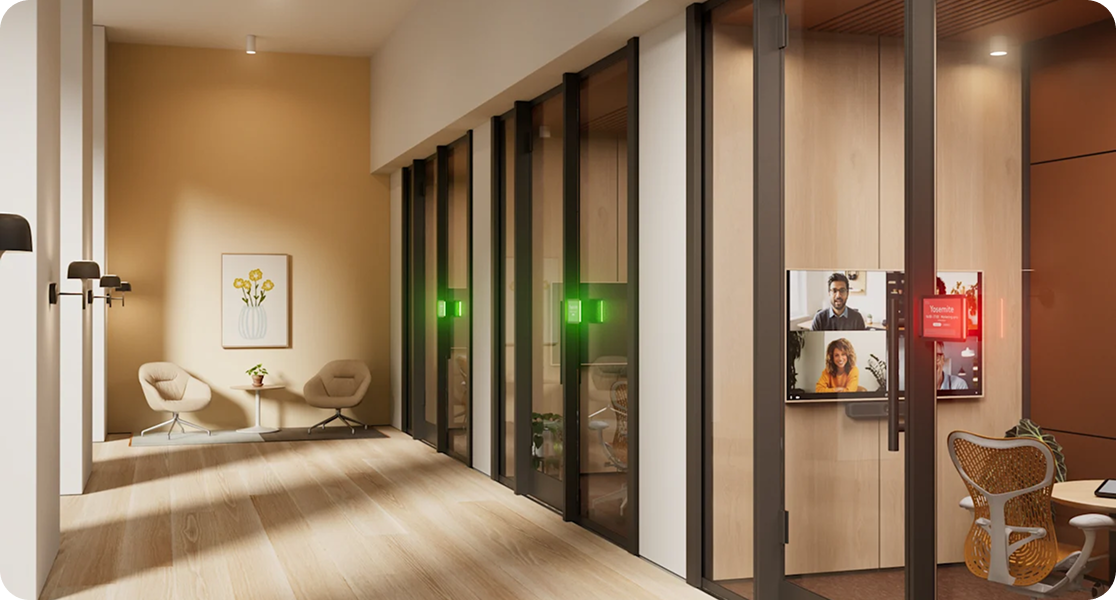
One of the most useful features of Logitech Tap Scheduler 2 is its built-in LED room status indicator.
The lights let staff check the room status without walking up to the screen. They are visible from a distance, such as down an office corridor.
This is especially useful in offices with several meeting rooms, where staff need to find a suitable space quickly.
High-resolution touchscreen
Logitech Tap Scheduler 2 has a 10.1-inch IPS LCD with LED backlighting and a resolution of 1,920 × 1,200 pixels.
The capacitive touchscreen supports up to 10 simultaneous touch points. An anti-glare finish reduces distracting reflections, and an oleophobic coating makes fingerprints less visible.
The result is an easy-to-read interface for checking and making bookings.
Automatic wake on approach
A radar motion sensor detects when someone is near the panel.
When the panel is idle, the display backlight can enter a power-saving mode. The display wakes automatically as someone approaches.
This keeps the panel convenient to use while reducing power consumption when idle.
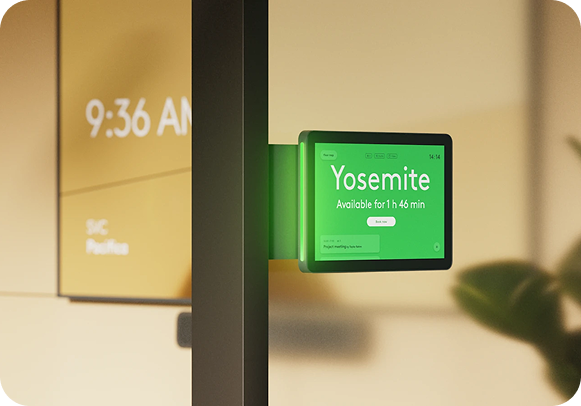

Logitech Tap Scheduler 2 with Microsoft Teams, Zoom and other platforms
Logitech Tap Scheduler 2 supports several meeting room booking and management platforms, including:
- Microsoft Teams Panels for managing bookings and room availability in Microsoft Teams.
- Zoom Rooms Scheduling Display for viewing and booking rooms in the Zoom ecosystem.
- Logitech Room Booking, Logitech’s own scheduling solution.
- Appspace for workspace management and employee communications.
- Robin for workspace booking and management.
Organisations can use the panel with a platform that fits their existing IT environment.
Features, certifications and licensing requirements vary by platform. Check current compatibility and subscription requirements before deployment.
Simple installation with Power over Ethernet
Simple mounting and minimal cabling matter when deploying scheduling panels across larger offices.
Logitech Tap Scheduler 2 supports Power over Ethernet (PoE) under IEEE 802.3af, Type 1, Class 3.
One Ethernet cable carries both power and network data, so the panel does not need a separate power outlet.
The panel requires a PoE-enabled network or a compatible PoE injector. The standard package does not include an Ethernet cable or PoE injector.

Flexible mounting options

Logitech Tap Scheduler 2 can be installed on different surfaces to suit the room layout:
- Glass mounting for modern meeting rooms with glass walls.
- Wall mounting next to the room entrance.
Door or glazing frame mounting where space is limited.
The panel also supports mounting solutions from the previous generation of Logitech Tap Scheduler, which can simplify upgrades.
Integrated cable routing helps keep the installation tidy.
Make better use of meeting rooms with Logitech Spot
Logitech Tap Scheduler 2 can work with Logitech Spot to monitor actual room occupancy. With compatible services, it can automatically book rooms or release unused bookings, helping teams make better use of meeting space. These features require an eligible service plan and a separate Logitech Spot device.
Central device management with Logitech Sync
Logitech Sync lets IT teams monitor, configure and manage compatible Logitech devices centrally. Automated initial setup simplifies the deployment of multiple panels. Logitech Tap Scheduler 2 runs CollabOS and, in supported configurations, works with Microsoft Teams Admin Center and Zoom Device Management.

Who is Logitech Tap Scheduler 2 for?
Logitech Tap Scheduler 2 suits offices, conference and training centres, coworking spaces and organisations with hybrid teams. It simplifies booking, makes room availability clear and helps staff organise meetings more efficiently.
Logitech Tap Scheduler 2 od MediaTech
MediaTech offers Logitech Tap Scheduler 2 for meeting room booking and management. When choosing a configuration, consider the existing IT infrastructure, booking platform and requirements of the space.
Expand your system with Logitech Generation 2 products
Logitech Rally Bar 2
Video conferencing
all-in-one bar
Logitech Rally Bar 2 is a professional all-in-one video conferencing system with a camera, microphones, speakers and intelligent video and audio processing.
Logitech Rally Mic Pod 2
Expansion microphone
for conference systems
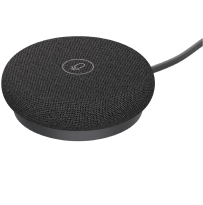
An expansion microphone designed for conference systems, with RightSound 2 audio processing.
Logitech Tap IP 2
Touch controller
for meeting rooms
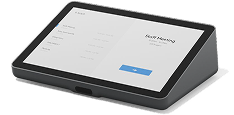
A new generation of network-connected touch controller with simple, intuitive controls for a range of meeting room configurations.
Rally AI Camera
and Rally AI Camera Pro
Intelligent conference
cameras
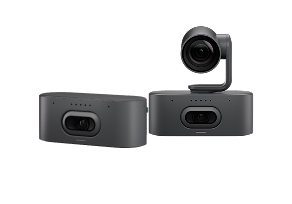
Logitech Rally AI Camera and Rally AI Camera Pro use intelligent framing to keep presenters and participants in view during video meetings.
Expand your system for a better audiovisual experience
Logitech Rally Bar 2
Video conferencing
all-in-one bar
Logitech Rally Bar 2 is a professional all-in-one video conferencing system with a camera, microphones, speakers and intelligent video and audio processing.
Logitech Rally Mic Pod 2
Expansion microphone
for conference systems
An expansion microphone designed for conference systems, with RightSound 2 audio processing.
Logitech Tap IP 2
Touch controller
for meeting rooms
A new generation of network-connected touch controller with simple, intuitive controls for a range of meeting room configurations.
Rally AI Camera
and Rally AI Camera Pro
Intelligent conference
cameras
Logitech Rally AI Camera and Rally AI Camera Pro use intelligent framing to keep presenters and participants in view during video meetings.
Simplify meeting room booking
with MediaTech
As a Logitech Certified Partner, MediaTech can help you design a professional meeting room that can adapt as your technology needs change.