Which AV technologies are essential for modern meeting rooms in 2026?
Reading time: 5 minutes

The best AV technology for meeting rooms today is about whether an employee sits down, presses a single button, and within thirty seconds is already working on the agenda instead of calling IT support. The shift that has now fully taken place in 2026 can be summed up in one sentence: technology that works is technology you don’t see.
For HR and office managers, this means that selecting meeting room equipment is no longer an IT decision, but a decision about team productivity. In this article, you’ll find five areas worth focusing on when planning a renovation, a new office, or simply upgrading existing rooms.
If you are still deciding which type of room you need, start with our overview of meeting room types.
Plug and play: the end of ten wasted minutes at the start of a meeting
Every meeting in an unprepared conference room starts the same way. Someone plugs in a cable, someone else looks for an adapter, and eventually everyone calls the assistant asking where the remote control is.
In 2026, two approaches have become standard that eliminate this problem.
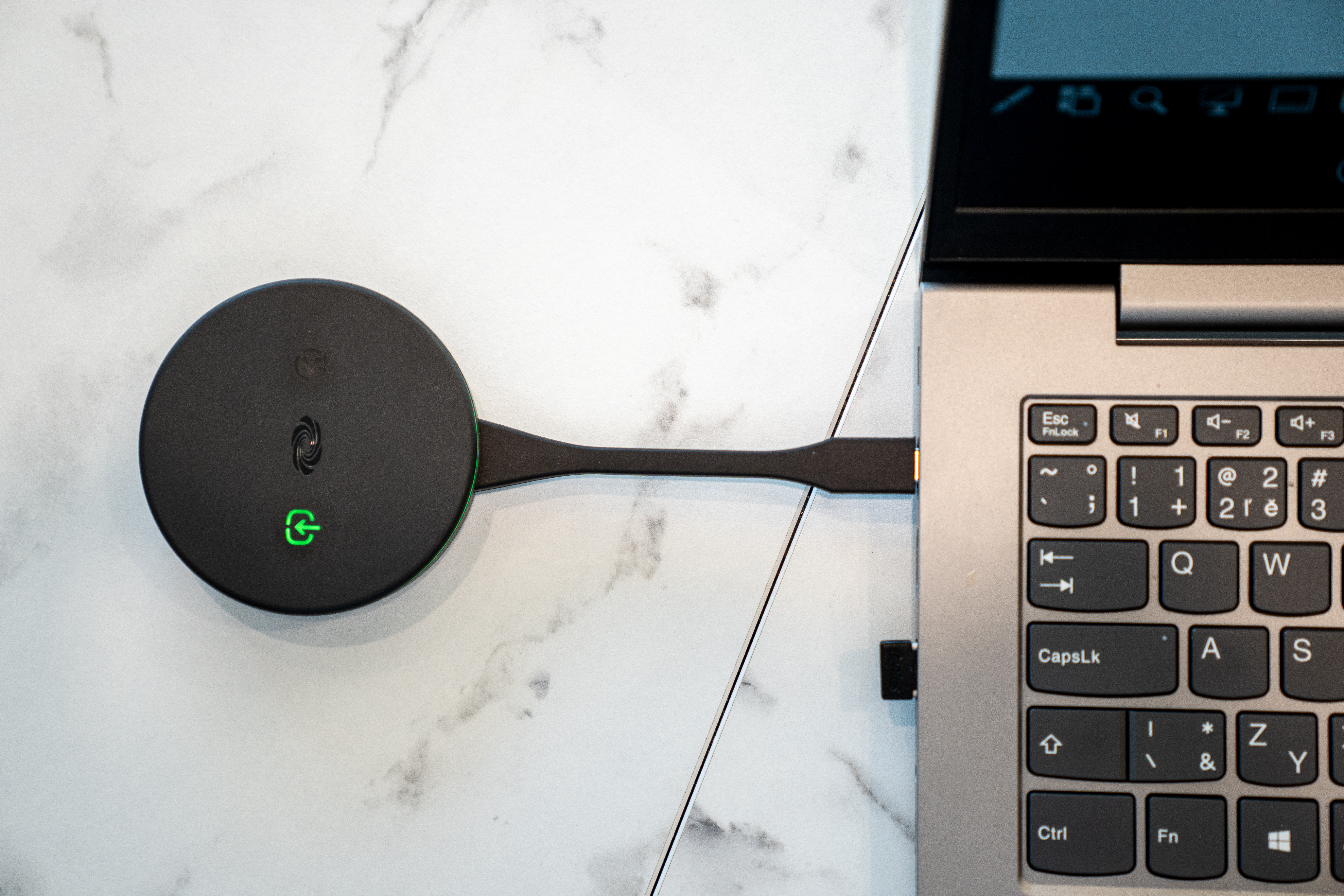
The first is a single USB-C cable that transmits video, audio, camera signal, and charges the laptop at the same time.
The second is wireless protocols such as Crestron AirMedia, MaxHub, and similar solutions that allow screen sharing with one click, without installing drivers.
The effect is not in the technology itself, but in human behavior. When technology stops being a barrier, it also stops being an excuse. Short stand-up meetings truly start running at a five-minute pace. Client presentations no longer begin with apologies.
Key question when choosing technology: How many steps does it take from entering the room to starting screen sharing? If it’s more than two, the system is not properly designed.
AI cameras: a hybrid meeting where no one is a “second-class participant”
The most common frustration in hybrid meetings is not technical but human. A remote participant sits in front of a monitor looking at a wide-angle shot of six people around a table, where only silhouettes are visible. They don’t know who is speaking, cannot read body language, and don’t see when someone wants to join the discussion.
AI cameras eliminate this gap. Automatic framing (auto-framing) dynamically zooms in on the group so participants don’t appear as distant dots. Speaker tracking switches the view to whoever is currently speaking, as if a cameraman were turning the camera in real time. More advanced systems can create individual frames for each person in the room, displayed remotely as a mosaic of equally sized faces.
The result is what is called hybrid equality: the remote colleague stops being an observer and becomes an equal participant. For companies with teams spread across two or three cities, this directly affects whether decisions are made during meetings or postponed.
Key question: When five people take turns speaking in a room, can the camera clearly show the remote participant who is speaking without manual control?
Audio: the factor that determines whether a meeting can actually be finished
People can tolerate poor video. They cannot tolerate poor audio. After fifteen minutes of trying to understand distorted sound, echo, and fading voices, remote participants lose focus and the conversation loses meaning. Technically, the issue is solved through a combination of three elements.
Microphone arrays with beamforming can electronically focus on the speaker and suppress everything else—air conditioning, keyboard typing, even hallway noise. Digital signal processing (DSP) removes echo and balances voice levels in real time.
Acoustic room treatments such as wall panels, carpets, and curtains handle what technology alone cannot: sound reflections in the space.
This last point is often overlooked. Expensive audio equipment in a glass-walled room with a bare table will sound like expensive audio equipment in a bathroom. If a meeting room is being renovated, acoustics must be part of the specification just like the speakers themselves.
Key question: If two people speak simultaneously from opposite ends of the table, can the remote participant understand both clearly? And does the design address room acoustics, or only device installation?
People can tolerate poor video. They cannot tolerate poor audio.
Interactive displays: from passive projection to collaborative work
The classic scenario: a team holds a brainstorming session, someone writes on a physical whiteboard, and after the meeting everything is photographed and sent to a group chat. A week later, nobody can find the photo.
Interactive displays (digital whiteboards) close this cycle. They function as large-format touchscreens with pen input. Whatever is written or drawn is synchronized in real time with tablets and laptops of remote participants.
After the meeting, everything is saved as a cloud document. Popular platforms (Microsoft Whiteboard, Miro, Mural, Samsung Flip, and successors to Google Jamboard) differ in ecosystems, but the principle is the same.
For creative teams, product development, or strategy workshops, this is the difference between presenting and co-creating. A colleague in Bratislava draws a process diagram. A colleague in London adds comments in real time. The result does not disappear when the meeting ends.
Key question: Do teams currently use a whiteboard in meetings? If so, how are outputs shared with remote colleagues and integrated into project documentation?
Room booking systems: not a visual add-on, but a data source
A meeting room panel next to the door used to be a nice visual feature. Today, it is one of the most underestimated sources of insight into how a company actually operates.
Modern systems combine booking interfaces with motion sensors. If a room is reserved but remains empty for ten minutes, the system automatically releases it. This eliminates so-called ghost meetings—reservations that block resources but never actually happen.
More importantly, these systems generate data. Within three months, they show which rooms are overused, which are underutilized, and what demand looks like for small versus large meeting spaces at different times.
For HR and office managers, this provides a factual basis for decisions that would otherwise be based on intuition.
In companies considering hybrid work or office space reduction, this data often reveals that the issue is not the number of rooms, but their size and layout.
Key question: If you had to decide whether to add another meeting room or reorganize existing ones, what data would you base your decision on today?
What to take away
Choosing AV technology in 2026 is not about buying the best devices. It is about eliminating problems that cost employees time and energy every day. The five areas in this article—ease of start-up, camera quality, audio quality, collaborative tools, and data-driven room usage—are the key decision points.
Specific configurations and budget levels for individual room types are covered in our configuration guide and pricing guide.
- A practical approach that works well looks like this:
Walk through your meeting rooms from an employee’s perspective. How many steps does it take to start a meeting? Where do you get stuck? - Ask the team, not just IT. The problems seen by HR and office managers are often different from those seen by IT.
- Solve acoustics before electronics. A poorly sounding room cannot be fixed by expensive audio equipment.
- Collect data before making decisions. A booking system with analytics will show what you actually need within three months.
- Treat AV as infrastructure, not as device purchasing. A good integrator does not offer a catalog but a solution tailored to your specific scenario. How to identify a high-quality integrator is explained in our article about PSNI standards for medium-sized businesses.
Meeting rooms in 2026 are spaces where decisions are made. The technology inside them should help ensure those decisions are made quickly, clearly, and without depending on whether the other party is in the same room or on another continent.
Frequently Asked Questions
Which AV technologies are considered standard for modern meeting rooms in 2026?
The standard consists of five key elements: plug-and-play connectivity through a single USB-C cable or wireless presentation protocols such as Crestron AirMedia and MAXHUB, AI cameras with automatic framing and speaker tracking, microphone arrays with beamforming and digital signal processing, interactive displays with cloud synchronization, and room booking systems with motion sensors and data analytics. The common requirement is that the technology must work without IT assistance or wasted time at the beginning of a meeting.
Why are hybrid meetings often unproductive even when expensive technology is used?
The most common cause is not the technology itself, but hybrid meeting inequality. A remote participant may only see a wide-angle view of six people whose faces are barely visible, cannot tell who is speaking and cannot read body language. AI cameras with automatic framing and speaker tracking reduce this difference by zooming in on the speaker or displaying participants in a gallery of individual faces. The second factor is audio. Echo, air-conditioning noise and keyboard sounds can make speech difficult to understand, causing remote participants to disengage after only fifteen minutes.
What is more important when selecting AV technology: the camera or the audio system?
Audio is more important. People can tolerate poor image quality, but they cannot tolerate unclear sound. An effective audio solution has three layers: microphone arrays with beamforming that electronically focus on the speaker and suppress background noise, digital signal processing that removes echo and balances volume levels in real time, and acoustic room treatments such as panels, carpeting and curtains. Expensive audio equipment will still sound poor in a room with glass walls and a bare table, regardless of the equipment’s price.
What does a meeting room booking system do besides managing reservations?
A modern room booking system provides two functions that are considerably more valuable than the reservation itself. The first is automatic room release through a motion sensor when no activity is detected within ten minutes, eliminating so-called ghost meetings that unnecessarily block shared resources. The second and more important function is data collection. After three months, the system can show which rooms are overloaded or underused, which room sizes teams actually need and when demand is highest. This gives office management reliable evidence for workplace planning instead of relying on assumptions.
How many steps should it take to start a meeting in a well-designed meeting room?
No more than two steps after entering the room. An employee should sit down, connect a single USB-C cable or select wireless sharing, and begin discussing the agenda within thirty seconds. If starting the meeting requires additional steps, searching for a remote control, calling the IT department or connecting adapters, the technology has not been designed correctly. This simple test is a more reliable measure of AV system quality than catalog specifications.