Why Do Video Conferences Fail? 5 Hidden Problems Nobody Talks About
Most articles (including ours) warn you about poor acoustics and backlighting. Those are the basics—the “hygiene” you need to get right.
A separate article covers these basics through the five most common mistakes that cause meeting room technology to freeze.
But what if you have great sound and picture, yet productivity still lags? Today, we look at the second-generation problems. These are subtle “killers” that emerged with the rise of hybrid work, causing your employees to dislike technology—even though it cost thousands of euros.
Problem #1: Silent discrimination of remote participants
In the past, everyone was in the same room. Then (during the pandemic), everyone was at home on laptops. Today it’s a mix—and that’s the hardest scenario.
People at home only see ants
at the end of a long table.
What’s happening?
Six people are sitting in the meeting room, actively discussing. Two colleagues are connected from home. The camera captures the whole room with a wide-angle lens. Remote participants only see “ants at the end of a long table.” They can’t read facial expressions, don’t know when to jump in, and feel like cinema spectators rather than active participants.
Result: Remote participants mentally disconnect, stop contributing, and you lose their potential.
Solution:
You need technology that restores “democracy” to the meeting.
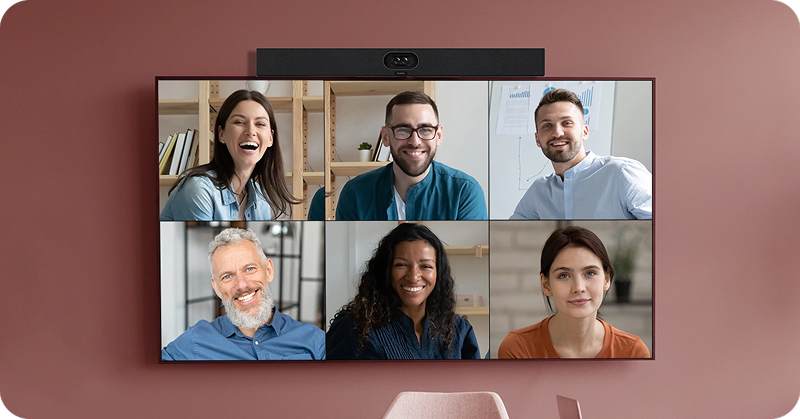
Intelligent framing (AI Framing): A camera that recognizes faces and “cuts out” each participant into their own window (e.g., Cisco People Focus or Zoom Smart Gallery).
Dual displays: One display for presentations, the other exclusively for life-size faces of remote colleagues, so they aren’t ignored.
360° table cameras (“Thermos” cameras): A camera in the center of the table capturing everyone around it. Demonstrating this technology always creates a “WOW effect” and shows that this is a different league.
Tip: The best solution combines all three elements for an unbeatable meeting experience.
Problem #2: Invisible content
The most creative moments happen at the whiteboard. Someone stands up, grabs a marker, and starts sketching a diagram.
What happens?
For people in the room, it’s great. For remote participants? They only see the back of the colleague scribbling. When that person steps aside, all they see is a shiny surface with unreadable “blobs.” They shout: “Can you take a photo and send it in the chat?” Creative flow stops, and the meeting turns into administrative work.
Solution A: Content Camera (AI)
Special cameras can be aimed at a regular whiteboard. AI straightens the image, enhances the marker lines, and makes the person in front of the board semi-transparent.
Solution B: Digital whiteboard (Teams integration)
An even cleaner solution is to eliminate markers completely.
Touchscreen: Write directly on the in-room display.
Instant digitalization: Everyone sees the same digital canvas in Teams.
No glare, no “blobs”: Content is automatically saved in the meeting chat. No one needs to photograph anything.
Problem #3: “Looking for the remote”
You bought the best camera and a 4K TV, but meetings still start 10 minutes late.
What happens?
There are five different remotes on the table (TV, AC, soundbar, camera…). Nobody knows which one switches inputs. Cables are short or have the wrong connector. While the tech is being sorted out, energy in the room drops. People are frustrated before even saying a word.
Solution: Centralized control and wireless sharing
The room needs a “brain.”
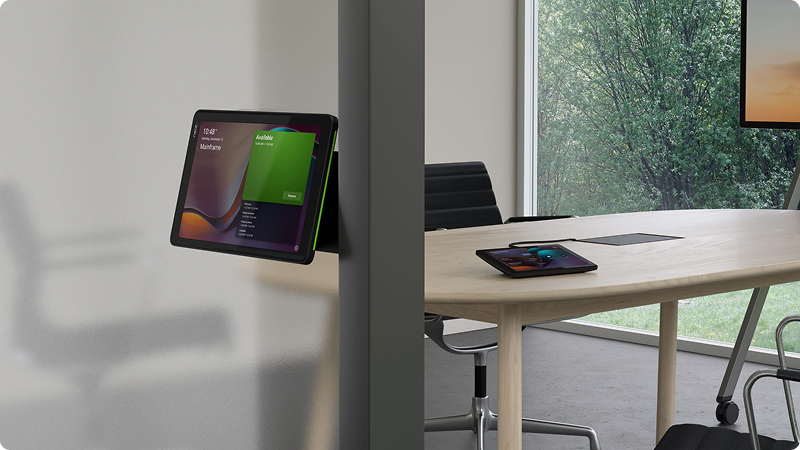
One touch panel: Replaces all remotes. You arrive, press “Start,” and the system powers on the TV, closes blinds, and sets sound automatically.
Wireless sharing (ClickShare): Forget searching for HDMI cables and adapters. Share your laptop screen to the display wirelessly with a single click.
Problem #4: Loss of privacy through glass
Companies invest in glass walls. It looks airy and modern.
What happens?
Glass is hard and vibrates. Managers have a “sensitive discussion” about salaries or strategy. People in the kitchen or hallway hear every other word, even with doors closed. This is not just uncomfortable—it’s a security risk.
Solution: Sound masking
You can’t always rebuild the walls. The solution is sound masking technology. Small speakers installed in the hallway outside the meeting room generate a special noise (it sounds like gentle air conditioning). This sound “covers” human speech leaking from the room. You can hear that someone is talking, but you can’t understand the words. Privacy is preserved.
Problem #5: “Platform Babylon”
Your company uses Microsoft Teams. You have Teams Rooms. Everything works perfectly. Then a key client sends: “I’ll send you a Zoom / Webex / Google Meet link.”
What happens?
You enter your €20,000 Teams Room. You click the link. Nothing happens. You start hunting for cables. You connect your laptop. The room cameras don’t work with your laptop because they’re paired with the tablet on the table. In the end, you’re sitting in a luxurious room but calling from your open laptop with its tiny webcam. Embarrassing.
A detailed breakdown of what a fully equipped room actually costs is available in our video conferencing room cost guide.
Solution: Direct Guest Join or BYOD (AirMedia)
Two elegant options:
Direct Guest Join: Your Teams Room device natively understands links from other platforms (Zoom, Webex). You arrive, see “Zoom meeting” on the tablet, and join with one click.
BYOD via AirMedia: Simple and effective. Bring your own laptop, connect wirelessly via AirMedia, and it “takes over” the room’s camera, microphone, and speakers. You call from your device but with the quality of a full meeting room.
You call from your own device,
but with the quality of a full-sized meeting room.
Technology should never get in the way
The biggest reason video conferences fail isn’t bad sound—it’s user fear. If an ordinary salesperson or manager (not an IT specialist) can’t start a call within 30 seconds, the technology has failed. A modern meeting room must be:
Stress-resistant: One “Start” button. No setup required.
Inclusive: Everyone is seen (AI cameras) and heard.
Universal: It doesn’t matter if you call via Teams, Zoom, or your own mobile device.
Which room type and configuration fits your team is covered in our meeting room selection guide and meeting room configuration guide.
Do you feel that your technology stresses people more than it helps them? At MediaTech, we don’t build “server rooms,” we build spaces for people. Come and experience what it’s like when everything works with a single touch.
Frequently Asked Questions
What is meeting equity and why is it important?
Meeting equity means that remote participants have the same opportunity to contribute as people sitting in the meeting room. It addresses situations in which remote colleagues are ignored or appear as tiny figures at the far end of the table. It can be improved using AI cameras with intelligent participant framing and dual-display systems.
How can zombie meeting rooms and unused reservations be eliminated?
Ghost meetings, where a room is reserved but remains empty, can be eliminated using occupancy sensors and check-in systems. If the organiser does not check in on the room panel within 15 minutes or the sensor detects no movement, the system automatically cancels the reservation and releases the room for other users.
How can confidential information be prevented from leaking through glass walls?
Glass transmits vibrations effectively, which means conversations may be audible in the corridor. Sound masking technology addresses this problem by generating a gentle background noise, similar to air conditioning, outside the meeting room. This masks the frequencies of human speech and improves conversational privacy.
How can I share a physical whiteboard with people on a video call?
Use an AI-powered content camera. The camera detects the corners of the whiteboard, corrects the perspective, enhances marker strokes and digitally makes the person standing in front of the board appear transparent, allowing remote participants to see the written content without obstruction.
Can I join a Zoom call from a Microsoft Teams Room?
Yes, provided that the room system supports Direct Guest Join. This feature allows users to join meetings hosted on external platforms such as Zoom or Webex directly from the room’s touchscreen panel, without connecting a laptop or bypassing the room system.