Why Does Meeting Room Technology Freeze? 5 Mistakes That Cost Companies Thousands
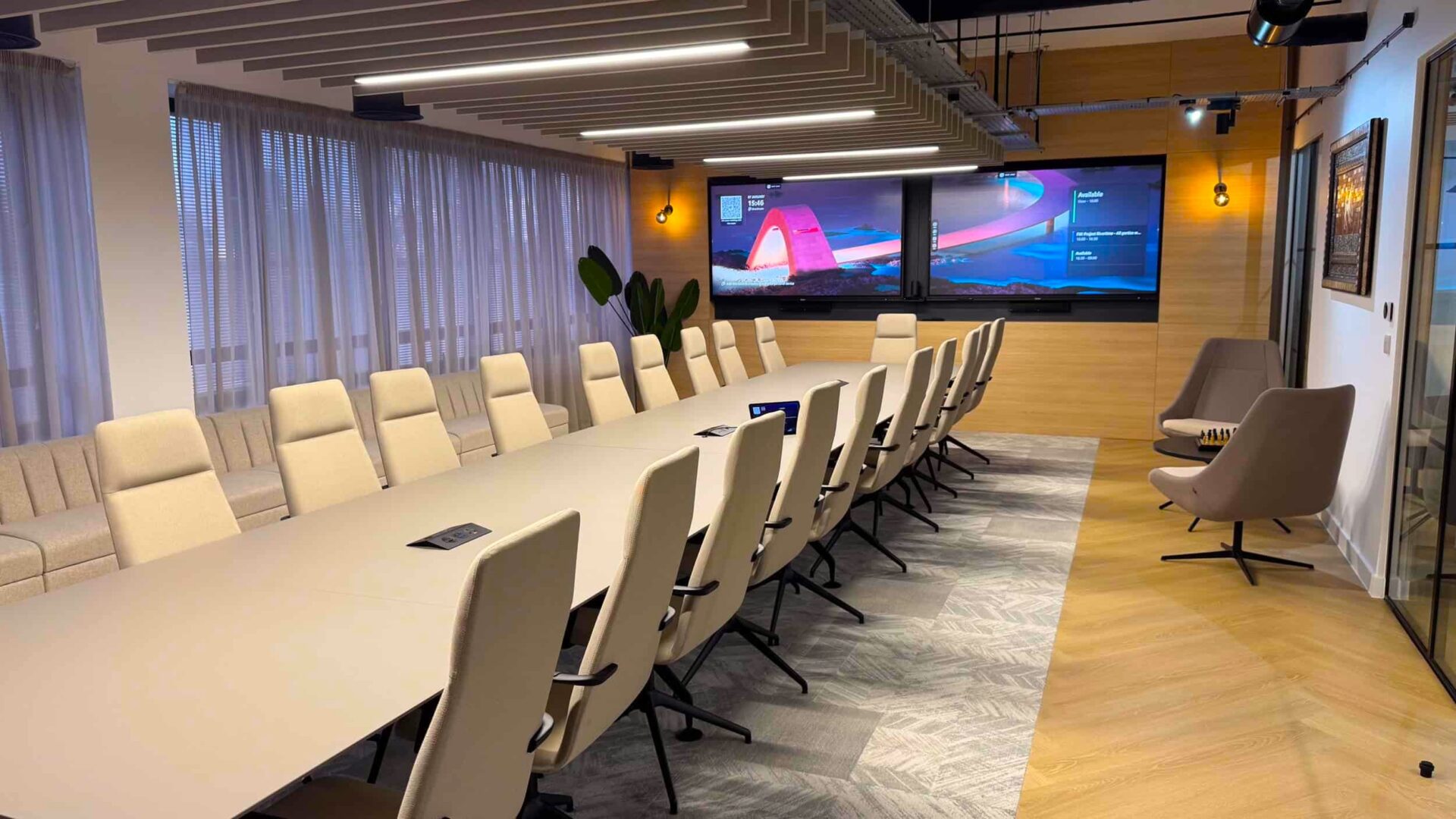
The reliability of meeting rooms is determined not only by the quality of screens or cameras, but above all by how well the technology is aligned with the space and the building’s network architecture.
Most common problems:
Using consumer (living-room) TVs instead of professional displays,
Poor room acoustics (high echo in glass spaces), long reverberation times,
Incorrect corporate network configuration,
Unnecessary delays from cable connections (BYOD chaos),
Employees’ fear of complex controls.
For a stable system, it is crucial to view the meeting room as an integrated ecosystem. How to build such an ecosystem according to room size is explained in the meeting room configuration guide. We present the 5 most common problems that cause corporate meeting rooms to fail, along with proven practical approaches to solving them.
Why does meeting room technology sometimes freeze and show a burned-in bar on the screen?
The most common cause of such issues is the attempt to replace a professional AV solution with standard consumer electronics.
The problem: Living-room approach
A regular home “Smart TV” is purchased for a premium meeting room. When static images are displayed frequently (e.g., a call control bar), screens without professional specifications begin to develop permanent pixel burn-in.
What this means in practice?
Home TV manufacturers design their devices for dynamic content with constant motion (movies, YouTube, sports), which distributes pixel stress over time.
If, on a standard TV, a white MS Teams icon stays on the same spot for an hour during a meeting, those pixels are permanently overloaded thermally, causing irreversible color degradation (so-called burn-in). The outline of this bar will remain faintly visible on the screen even after the meeting, regardless of what is displayed afterward.
The cost of a consumer TV
Deploying a regular 85-inch consumer TV in full corporate operation can be expensive if it fails. Manufacturers do not honor standard consumer warranties in such business use. Even the logistics of replacing the device represent an immediate, unplanned loss of €1,500–€3,000 for the company.
Recommended solution
Professional displays
Experience shows that using professional displays (with a matte anti-reflective coating and 16/7 or 24/7 operation rating) protects the investment against burn-in and comes with long-term corporate warranties.
At home, people only see ants
at the end of a long table.
Reliable cabling route
Cable clutter is best solved with optical links or HDBaseT technology (a standard for transmitting high-quality HDMI video over regular Ethernet cables), which completely prevents image problems on longer runs.
Why isn’t our voice crystal-clear in a new glass meeting room?
Modern meeting rooms made of glass and hard materials look architecturally stunning, but without acoustic treatment, they degrade sound transmission.
The problem: Ignoring the physics of the space
Sound reflects off smooth glass walls back into microphones, creating extreme echo. Large glass surfaces significantly prolong the reverberation time (RT60 – the time it takes for sound to drop by 60 dB after it stops). Long reverberation times reduce speech intelligibility and negatively affect the overall video conferencing experience.
Recommended engineering solution
Reducing reverberation
Typical office furniture or carpets are insufficient to absorb the specific frequencies of human speech. Practical experience shows that strategically installing acoustic panels and certified absorbers immediately reduces reverberation to the desired level, improving speech clarity.
Correct table shape
Experience shows that a “V”-shaped cross-section of corporate tables ensures flawless camera capture without shadowing participants, enhancing non-verbal eye contact during online meetings.
What causes call lag even with a fast corporate fiber connection?
The problem: Fast network vs. signal interference
A critical issue is video transmission over the corporate Wi-Fi network. The image “freezes” even though the space is covered by ultra-fast wireless – because your video conference over Wi-Fi invisibly competes for bandwidth with dozens of mobile phones from all present colleagues and also suffers from signal interference through walls.
Recommended solution
Stable wired connection
Key meeting rooms must always be connected via fully certified wired LAN infrastructure, never wirelessly. This prevents the aforementioned bandwidth congestion caused by external devices.
Dedicated virtual network
Installing a VLAN (a separate virtual local subnet within the main corporate network exclusively for conferencing devices) with the highest priority assigned to data packets via QoS (Quality of Service – a network tag for critical data) ensures that video calls remain stable.
Firewall audit
In coordination with the IT department, communication port throughput is allocated to predefined URLs as needed.
What common mistakes extend the start of a meeting by 15 minutes?
Major stress often begins when participants try to connect their personal laptops of various brands, creating non-standardized hardware chaos.
How much does 15 minutes of silence cost?
Delays due to “non-functioning audio” are not just an annoying nuisance—they are a direct financial loss in productivity. If 4 senior managers wait 15 minutes at the start of a meeting, with an average hourly cost of €100, the company loses €100 just for one call. On average, searching for cables and adapters under the table can cost thousands of euros annually.
How much video conferencing room equipment really costs is detailed in the cost guide.
Comparing approaches: BYOD devices vs. native meeting room
For this reason, we recommend platform-optimized meeting rooms long-term instead of complicated self-setup connections.
| Operating parameter | User-supplied device (BYOD) | Native room (“Microsoft Teams / Zoom Room”) |
|---|---|---|
| Meeting start | Searching for the correct USB-C/HDMI cable (delays the meeting by 2–8 minutes on average) | Video call starts with a single visual touch on the panel (One-Touch) in 3 seconds |
| Meeting flow | Interruptions due to notifications and technical issues on the user’s personal PC | Dedicated hardware fully isolated for conference transmission |
| IT support | No warranty or monitoring of personal PC performance | Remote management possible via manufacturer cloud platforms |
Recommended solution
Transition to native systems (Rooms) and remote management
Beyond migrating from personal computers to a concept of permanent internal “Room” systems, experience shows the advantages of remote device monitoring, where operators continuously oversee network status. For example, if the cloud system detects a nighttime device update failure, the service operations center identifies and resolves the issue overnight—before directors arrive in the morning. How to verify whether an integrator can handle this level of operation is explained in the article on PSNI standards for medium-sized businesses.
Where management goes wrong if a new €50,000 meeting room sits empty?
Even the best system delivers a return on investment only if staff feel confident using and interacting with it.
The problem: Fear of technology
A company may build a room with state-of-the-art technical equipment but fail to train staff adequately. Employees worry that they won’t be able to operate the room’s equipment, rendering the investment essentially worthless due to non-use.
Recommended solution
Training process
Taking over a finished room is not just about handing over cables—it’s about training the staff. An ideal feature in meeting rooms is a clear user manual that ensures effortless connection and operation without technical assistance.
A system will deliver a return on investment
only if the staff operating it are not afraid to use and interact with it.
Software analytics
Accurate occupancy measurement helps facility managers identify poor planning—for example, when an over-sized 15-person boardroom sits empty during two-person meetings. A more cost-effective approach would be to build small enclosed phone booths (so-called huddle rooms) along the corridor instead. Which type of room makes sense for which team is explained in the meeting room selection guide.
Frequently Asked Questions (FAQ)
Why shouldn’t we use a regular living-room TV in a corporate meeting room?
Consumer TVs are not designed for all-day operation (16–24 hours) and lack a matte anti-reflective coating. If you use one in the office and a static image from a video call burns into the screen, you lose the right to the standard commercial warranty.
Can we fix echo in a glass room with carpets and furniture?
Unfortunately, no. Standard office furniture or thin carpets do not have the physical properties to absorb the specific frequencies of human speech. Specialized acoustic absorbers must be used to effectively reduce reverberation time in the relevant frequency spectrum.
Why does the video freeze over Wi-Fi even with full fiber-optic internet signal?
Even the fastest Wi-Fi is inherently a shared wireless medium. A video conference from a laptop competes for bandwidth with dozens of nearby colleagues’ mobile devices, and the signal is further weakened by walls. That’s why professional systems require a direct, wired LAN connection.