Wireless Presentation in a Meeting Room: When It Makes Sense, When It Doesn't and What It Really Costs
A practical guide for IT managers, facility managers and CFOs deciding whether to equip meeting rooms with wireless screen sharing.

Wireless presentation is sold as a technology that determines how much of your company’s time is spent connecting a laptop to a display.
With a wired solution, when you are looking for an adapter for a Mac, switching inputs and adjusting the resolution, this can take 5-10 minutes in practice. With wireless presentation, it takes seconds and requires no technical knowledge.
That is the entire basis of the investment. Everything else, 4K, BYOD, AirPlay and encryption, consists of parameters that determine whether you choose a good solution or a poor one. But the reason to invest is the mathematics of time, not the technology itself.
How it works in practice
The principle is similar across all systems. The meeting room contains a receiver connected via HDMI to the display or projector and to the corporate network. The user connects in one of three ways:
- USB/USB-C dongle (button) – a hardware dongle that plugs into the laptop. Press the button and the image appears on the display within 2-3 seconds.
- An application on the laptop or phone – works over Wi-Fi without any physical hardware on the user’s side.
- Native protocols – AirPlay (Apple), Google Cast (Android, Chrome) and Miracast (Windows). No installation, just a network connection.
More advanced systems can also control the camera, microphone and loudspeakers in the room, known as BYOM (Bring Your Own Meeting). The user opens Teams or Zoom on their own laptop and the meeting-room hardware connects automatically. There is no need to sign in to a corporate account in the room.
This is now the standard customers expect.
With wireless presentation, it takes seconds and requires no technical knowledge.
When it makes sense to invest and when it does not
The investment makes sense if:
- There are more than 5-7 meetings per week in the room where content is shared.
- Your company regularly receives external guests.
- You hold hybrid meetings, with some people in the room and others joining remotely.
- You use a mix of devices and operating systems, including Windows, Mac, iPad and Android. A wired solution then means keeping a collection of adapters available.
- The meetings are important and every delay costs money or affects your reputation.
The investment does not make sense if:
- The meeting room is used once every two weeks. The return on investment is weak.
- The room has poor Wi-Fi coverage. Wireless presentation depends on network quality. Without stable infrastructure, you are wasting money.
- You do not have IT capacity to manage the system. Although today’s systems are simple, they still require firmware updates, certificates and network configuration.
This list is deliberately straightforward because some companies invest in expensive systems that are used to only 15% of their potential.
Benefits that are discussed less often
Marketing brochures talk about a “modern experience” and “increased productivity”. Those are vague claims. These are the practical benefits you can actually see:
- Flexibility when changing the room layout. Without cables, you can change the meeting-room layout within a week. With a fixed wired installation, every change can become a two-month project.
- Centralised management. More advanced systems such as ClickShare XMS and Crestron XiO Cloud allow an entire fleet of devices to be managed from one web interface. IT can see which rooms are being used, where firmware issues exist and resolve problems without physically visiting the room.

Disadvantages that are rarely discussed
- If your Wi-Fi or LAN goes down, the presentation system goes down with it. In critical meeting rooms, such as boardrooms, legal proceedings or client audits, this means you need either an extremely reliable network or a conventional HDMI connection as a backup.
- Latency of 1-3 seconds. This does not matter with a static presentation. When playing video that requires synchronised audio and video, however, it can become distracting. For real-time drawing, it can be unusable.
- Wireless presentation means that guest devices may connect to your network. If IT does not configure this correctly, including a separate guest VLAN, encryption and firmware updates, you create an entry point into the network. This is not a system fault. It is an implementation fault, and it is common.
- Hardware lifetime and obsolescence. Hardware may last 5-7 years, but software and compatibility change more quickly. Some older models no longer fully support newer operating systems. Companies that bought systems six years ago may already be facing reinvestment. This is not visible in the purchase price, but it is part of TCO.
- The price of buttons and accessories. The base unit costs one amount, but every additional button costs another €120-250 including VAT. Four buttons per meeting room across ten rooms represents a significant additional cost just for dongles.
Options on the market: four approaches, four price categories
Not all systems are the same, even when they perform a similar task. These are four practical ways of looking at the market:
Yealink is suitable for companies with tighter budgets
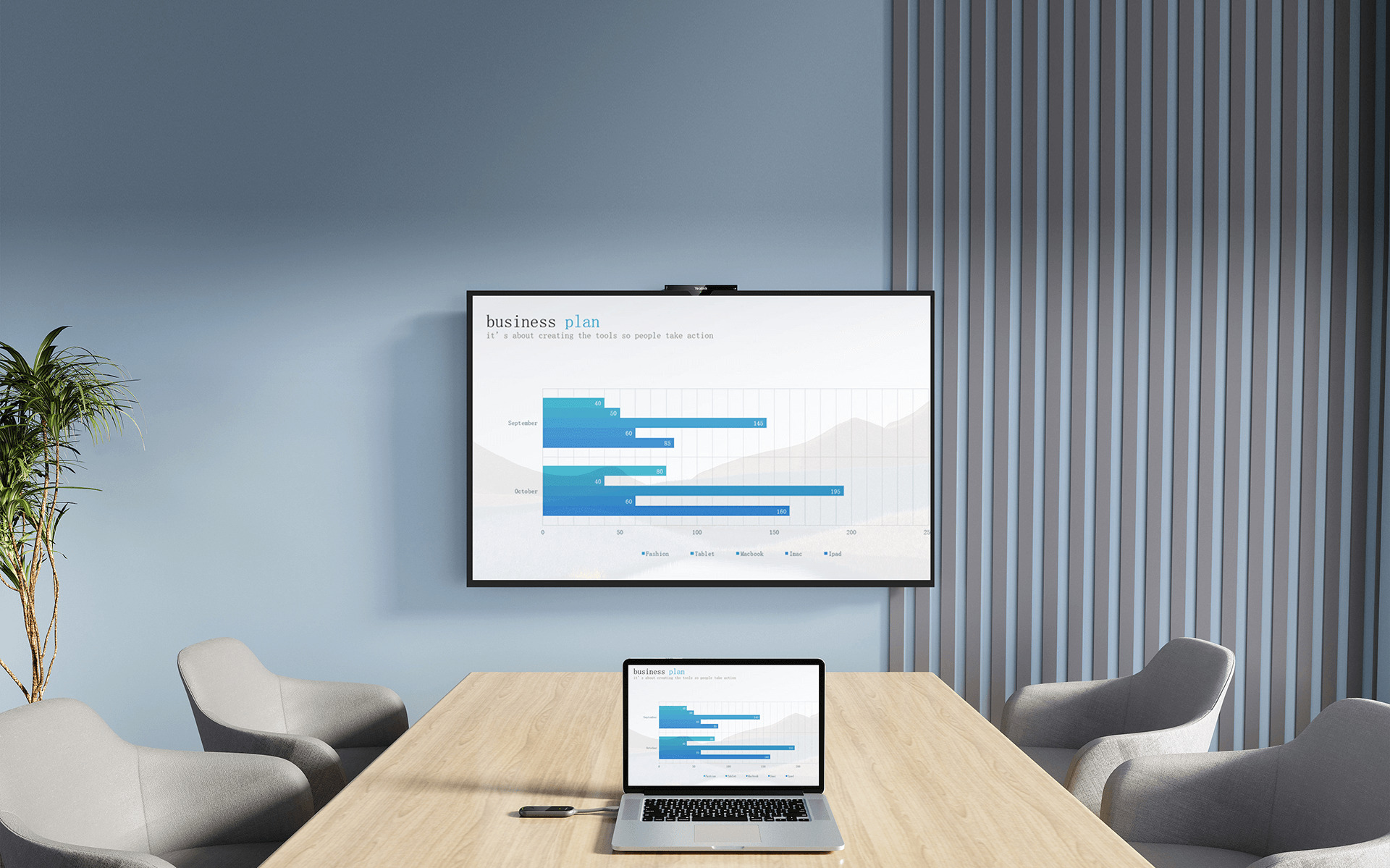
A Chinese brand that has grown significantly in the B2B segment in recent years. Yealink, with the RoomCast product family and models such as the PA20, is positioned between inexpensive e-commerce systems and professional Barco or Crestron solutions.
Strengths: significantly lower pricing than Barco and Crestron while retaining 4K transmission, solid stability and straightforward deployment. It is a practical solution for companies that need to equip multiple smaller meeting rooms or huddle rooms for internal teams.
Weaknesses: less developed centralised management for fleets of dozens of devices across multiple cities. With stricter IT security policies, such as those found in banks, insurance companies and regulated sectors, more detailed configuration is required.
Price range on the Slovak market (indicative retail prices including VAT):
- Yealink RoomCast (base model, 4K, integrated receiver): €600-900
- Yealink WPP30 or WPP20 dongle (USB-C button): €120-180 each
- Yealink MeetingBoard (all-in-one display with integrated sharing):€2,800-6,500 depending on size
Barco ClickShare is the standard for companies with multiple meeting rooms
The Belgian company essentially created this segment. If a company in the EU deployed wireless presentation ten years ago, there was a good chance it was using ClickShare.
The C Series (C-5, C-10) is designed purely for presentation, sending content from a laptop or phone to the display.
The CX Series (CX-30, CX-50 Gen 2) adds video conferencing and can control the room camera and microphones.
Strengths: reliability, a 5-year warranty through SmartCare, centralised management through XMS and a genuinely straightforward out-of-the-box user experience.
Weaknesses: the price of buttons and dependence on the ecosystem.
Price range on the Slovak market (indicative retail prices including VAT):
- ClickShare C-5 (small meeting rooms, presentation only): €1,200-1,500
- ClickShare C-10 Gen 2 (medium rooms, presentation only): €1,800-2,400
- ClickShare CX-30 Gen 2 (medium rooms, presentation + conferencing): €2,200-2,800
- ClickShare CX-50 Gen 2 (large rooms, presentation + conferencing): €3,800-4,800
- Extra button: €170-230 each

Crestron AirMedia is designed for companies building an entire ecosystem
Crestron is an American company that has never focused solely on wireless presentation. Its systems cover complete building control, including lighting, HVAC, AV and room management. AirMedia is part of that wider ecosystem.
That is both its strength and its weakness. If you already have Crestron infrastructure, AirMedia fits into it as another component. You gain integration with Outlook and Teams calendars, occupancy sensors, room scheduling and digital signage.
If you do not already use Crestron, you are effectively buying into an ecosystem to solve one problem.
Price range on the Slovak market (indicative retail prices including VAT):
- AirMedia Receiver 3000 / 3100 (base Wi-Fi models): €800-1,200
- AirMedia Receiver 3200 (advanced model with more inputs): €1,400-1,900
- AirMedia Connect Adapter (USB-C dongle): €180-250 each
- Add licences and integration costs if you want full room scheduling and digital signage functionality.

MaxHub is for companies primarily buying a display and wanting wireless presentation as a bonus
The Chinese brand is growing in the EU primarily through interactive displays and all-in-one video bars. Wireless sharing through MaxHub Share software or a WT13 dongle forms part of the display rather than being a standalone solution.
This is a different product model. With the other three brands, you normally buy a separate device for an existing meeting room.
With MaxHub, you normally buy the complete display or video bar with wireless sharing built in.
Strengths: significantly lower cost as part of a complete package combining display and sharing, an integrated solution and good hardware specifications. MaxHub Share can also share content through a dongle without requiring an application to be installed.
Weaknesses: MaxHub Share works only within the MaxHub ecosystem and not as a standalone solution for third-party displays in the same way as Yealink, Barco and Crestron.
Price range on the Slovak market (indicative retail prices including VAT):
- MaxHub dongle (for an existing MaxHub display): €120-250 each
- MaxHub UC S15 (all-in-one video bar): €1,500-2,200
- MaxHub 65″-86″ displays with integrated sharing: €2,500-7,000 depending on size and generation

Quick comparison
| Feature | Yealink | Barco ClickShare | Crestron AirMedia | MaxHub |
| Main advantage | Price and functionality | Simplest experience for guests | Deep integration with building systems | Integration with the display |
| Typical use | Standard offices, huddle rooms | Executive and client-facing meeting rooms | Modern office centres, auditoriums | Education, all-in-one installations |
| Installation | Simple | Very simple | Requires professional configuration | Part of the display |
| Standalone operation | Yes | Yes | Yes | No, only within the MaxHub ecosystem |
| Price category | € | €€ | €€€ | €-€€€ depending on configuration |
How to choose between them
This filter works for most projects:
Choose Yealink if:
- You are equipping several smaller meeting rooms or huddle rooms for internal teams.
- Budget is the main criterion and you do not need enterprise-level centralised management.
- The primary users are employees rather than guests.
- You have an internal IT team capable of configuring the system without intensive supplier support.
Choose ClickShare if:
- You have more than five meeting rooms and want one consistent standard.
- You want a solution that simply works without users having to manage it.
- You are investing for 5-7 years and the SmartCare warranty matters to you.
- You have a mix of Apple, Windows and Android users.
- Your meeting rooms regularly receive guests using the system for the first time.
Choose Crestron AirMedia if:
- You already have or are planning a Crestron control system for the entire building.
- You need close integration with Outlook or Teams calendars and room scheduling.
- You are working on a larger project, such as a new building or a complete refresh of all meeting rooms.
Choose MaxHub if:
- You are buying a new display and want wireless sharing included as part of it.
- You are working on an education project or another price-sensitive deployment.
- You have an internal IT team capable of configuring and managing the system.
What to do before ordering
Before sending an enquiry, take these three steps internally:
- Count how many meetings actually take place in the room each week. Do not estimate. Check your booking system for the last three months. If there are fewer than five meetings per week, consider a cheaper solution or no dedicated wireless system at all.
- Test the Wi-Fi in the room. Wireless presentation relies on the network. If the signal drops in the corners of the room, fix that first. Otherwise, you are installing an attractive system on a weak foundation.
- Ask IT whether it has the capacity to manage the system. Three meeting rooms can be managed by one person alongside other work. Fifteen rooms require somebody to manage the fleet. If you do not have that capacity, request a managed service from the supplier rather than hardware delivery alone.
Conclusion: wireless presentation is a process decision, not a hardware decision
Wireless presentation was originally positioned as a productivity tool for employees, but today it is primarily a way to avoid frustrating guests.
Most case studies focus on internal productivity and time saved by employees.
In practice, however, employees will usually get through a meeting even with a cable. The person who should not have to struggle with an adapter is the person sitting in your meeting room for the first time. The guest.
That leads to two conclusions when deciding whether to invest:
- It is basic hygiene for a professional experience, much like good coffee and a clean washroom. Nobody will praise you for having it, but people remember when you do not.
- In internal training rooms used only by employees, the opposite applies. Every euro spent beyond what is necessary for reliable functionality is unnecessary. Yealink or MaxHub can perform the same basic task, and in some cases a good cable with a basket of adapters will be enough.
If you are considering wireless presentation and want to make the decision without marketing noise, we can audit your meeting rooms and design a solution around who actually uses each room. There is no pressure towards a specific brand.
We select the supplier only after we understand the requirement.
Consultation without obligation: mediatech@mediatech.sk | +421 220 999 700
Prices in this article are indicative retail prices including VAT on the Slovak market as of May 2026. The actual project price depends on configuration, number of devices, installation, network integration and the service agreement. Request a quotation for an exact calculation.