Interactive Display, Commercial Display or LED Wall: What to Choose for a Corporate Space
Reading time: 7 minutes
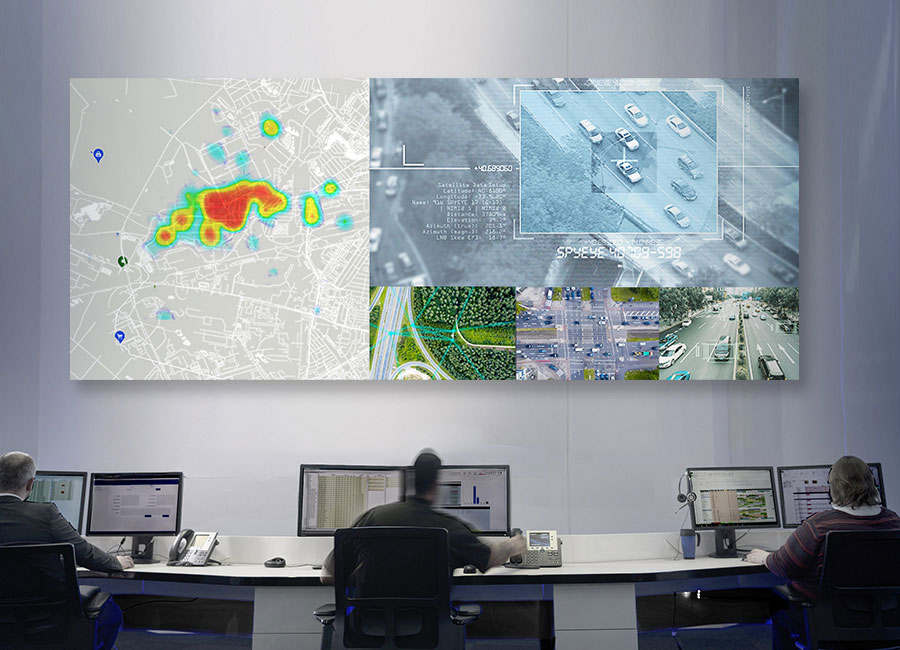
When a company says it needs a “large screen”, the requirement may sound clear. On closer inspection, however, the same phrase can describe three different needs. Some people want to write directly on the image, some want to display information, and others need one large visual surface for an entire hall.
An interactive display is suitable for collaborative work using touch. A commercial display is intended for content that people mainly view. A professional LED video wall becomes relevant when you need one large continuous image area and a conventional display is no longer sufficient. The final choice is then refined by the content, viewing distance, lighting conditions, operating requirements and readiness of the space. Screen diagonal alone does not determine the right solution.
Quick overview
- Start with what people need to do with the image
- An interactive display is suitable when people write on the screen
- A commercial display is suitable when people mainly view content
- An LED wall provides a large continuous image area
- Readability depends on content, distance and lighting
- Operation and the space itself can change the decision
- What to prepare for the first discussion
- Frequently asked questions
Start with what people need to do with the image
Purchasing discussions often begin with screen size or the name of a technology because these are easy to put into a spreadsheet. The design, however, first needs to establish what people will actually do with the image. Will they write on it and change the content? Will they read spreadsheets from it? Or will they watch one large shared image together? Each of these situations can lead to a different technology.
It also helps to define who will perform the task. A trainer may write notes on the screen while participants need to read them from their seats. Reception staff may update content regularly even though visitors never touch the screen. In a hall, people may simply watch the image without controlling anything.
In this article, the term LED wall refers to a professional LED video wall, meaning a large image surface assembled from smaller display sections into one continuous area. Lighting, LED strips and architectural LED panels are not included. The same term is used for completely different products, so it is worth using the full description in an enquiry.
An interactive display is suitable when people write on the screen
An interactive display makes sense where a person works directly with the content. They may write with a finger or stylus, draw, move documents or work with a connected laptop in front of other participants. Typical examples include classrooms, training rooms, project rooms and meeting rooms where people collaborate at the display.
In the project brief, state who will use touch, what kind of work they will perform and what should happen to the output after the meeting. This immediately shows whether touch will actually be used. It also reveals whether people need to stand at the screen or whether controlling the content from the table is sufficient.
If everyone simply watches a presentation controlled by one person from a laptop, touch adds no real value. In that case, consider a commercial display and spend the budget on functions that will actually be used.
A commercial display is suitable when people mainly view content
A commercial display is intended for situations where content is mainly viewed. This may be a presentation in a meeting room, wayfinding information at reception or corporate communication in common areas. Content may come from the network and the screen may operate throughout the working day.
Define two responsibilities when choosing this option. Someone needs to manage the device and someone needs to ensure that the content remains up to date. In a smaller company, this may be the same person. If nobody owns this responsibility, the display may continue working while showing outdated information.
Do not choose a conventional display if users need to work directly with the content using touch or if it cannot provide a sufficiently large continuous image area in the room. And if the content never changes, consider whether a display is necessary at all. A conventional information board may perform the same function without electricity, a signal source or regular content management.
If you are deciding between a professional display and a conventional TV, our article on how to choose a TV for a meeting room will help. Here, we are looking at the broader choice between three different display technologies.
An LED wall provides a large continuous image area
Include an LED wall in the shortlist when you need one large continuous image surface and neither an interactive display nor a standalone commercial display is sufficient. The wall is assembled from smaller sections, so its final size is determined by the number and arrangement of those sections. Wall dimensions, viewing positions and installation conditions therefore become part of the decision.
Size alone does not justify an LED wall. If people sit relatively close and a commercial display can provide the required image area, the simpler solution may perform the same task with fewer requirements. If the room can be darkened and a large image is only needed occasionally, a projector should also be included in the comparison. Without sufficient light control, however, projection may lose readability for detailed content. LED walls and projectors are compared in a separate article.
At close viewing distances, the individual light-emitting points of an LED wall may become visible. Therefore, include both the closest and furthest viewing positions in the project information, together with the type of content that will be displayed. Detailed LED parameters and construction should only be considered once the LED wall remains in the shortlist.
Readability depends on content, distance and lighting
Text, spreadsheets and technical drawings place different demands on the image than photographs or video. With detailed content, even the person in the last row must be able to read the information they need to work with. Include an example of the smallest important detail in the project information.
Record viewer positions as actual locations in the room. The number of people alone is not enough. The nearest viewer may be able to see the structure of an LED wall, while the furthest viewer still needs to read the text. Professional methodologies therefore relate active image size, meaning the part of the surface that actually displays content, to content type, detail size and viewing distance. A simple calculation that converts one viewing distance into one screen diagonal cannot capture all of these factors.
Lighting changes readability throughout a normal working day. Record windows, direct sunlight, luminaires and the possibility of darkening the room before choosing the technology. Evaluate a demonstration under lighting conditions and with content similar to what will actually be used. A catalogue specification does not show what someone will see from their seat.
Operation and the space itself can change the decision
A screen used for occasional presentations has a different role from an information display running all day or a display used in a control room. State when the screen is switched on, how long it operates, who controls it and what happens when it is unavailable. The limitations of a particular device are assessed only once a specific solution is being considered.
The space also determines what can actually be installed. Before creating the shortlist, verify the wall structure, power supply, data infrastructure, heat dissipation, space for control equipment, installation access and future service access. These requirements vary between systems, so there is no single universal set of dimensions or power requirements.
MediaTech can advise on building readiness but does not assume responsibility for it. Load-bearing capacity, wall reinforcement, steel structures and electrical installation remain the responsibility of the building team or the relevant professional discipline. Clarify this division before requesting quotations because it affects both the scope of supply and whether two proposals can be compared fairly.
If the requirement is simply one screen in a prepared room, without touch functionality or integration with other systems, a large integration project may not be worthwhile. Internal IT or procurement may be able to purchase such a display directly. An integrator adds value where the display, room, signal sources, control and work of several professional disciplines need to be coordinated.
What to prepare for the first discussion
The first discussion should narrow down the type of technology. A specific product comes later. Prepare the information that genuinely affects the decision:
- Purpose. What should a person do with the image and who will do it?
- A sample presentation, spreadsheet, drawing, video or information screen.
- Viewer positions. Mark the closest and furthest viewing positions on the floor plan, together with the position of the person working directly with the display.
- Windows, direct sunlight, luminaires and the possibility of darkening the room during normal use.
- Whether users will write, draw or control the content using touch.
- Operation. When the screen operates, who manages it and what the user does when it is unavailable.
- Wall dimensions and photographs, floor plan, known connection points and a list of devices that need to be connected.
Create the technology shortlist using these seven inputs: purpose, content, viewer positions, lighting, touch, operation and space. If any of them are unknown, mark them as open. This allows the supplier to see what needs to be completed on your side and what can only be determined during the design process.
If the room will also be used for video calls, treat the display separately from the camera, microphones, loudspeakers and meeting controls. The article What Kind of Meeting Room Do You Actually Need? covers the selection of the complete room. The display is only one part of it.
Frequently asked questions
When does an interactive display make sense? When people write, draw or control content directly using touch. State in the project brief what kind of work will be performed and who will use the display. If participants only watch a presentation from a laptop, consider a commercial display instead. Touch functionality that nobody uses regularly does not justify choosing an interactive display.
When is a commercial display more suitable than an interactive display? When people mainly view content and nobody needs to work directly on the screen. State where the content will come from, how long the display will operate and who will update the content. The choice between a conventional TV and a professional display is covered in a separate article.
When should an LED wall be included in the shortlist? When you need a large continuous image area and a standalone display is not sufficient. The result depends on the content, viewing distance, lighting and readiness of the wall. If a commercial display can perform the same task, the simpler solution is often more reasonable. Detailed LED wall parameters should only be considered after this initial shortlist has been created.
Is an LED wall the same as an LCD video wall or lighting? An LED wall creates an image on a surface assembled from smaller display sections. An LCD video wall consists of separate displays and visible seams may remain between them. Lighting, LED strips and architectural LED panels belong to a different category. In an enquiry, therefore, use the full term “professional LED video wall”.
How does room lighting affect the choice of display technology? Windows, sunlight, luminaires and darkening change the contrast that people actually see in the room. Evaluate the technology under lighting conditions and with content similar to what will be used in practice. A conventional screen may be difficult to read in direct sunlight because of reflections on the glass. A catalogue specification will not reveal this.
What should be sent for an initial assessment of a display solution? Send the purpose of the screen, a content sample, viewer positions, lighting conditions, whether touch will be used, how the screen will operate and the current condition of the space. Include a floor plan, photographs of the wall, known connection points and a list of devices to be connected. Mark missing information as open. The initial assessment narrows down the technology type and identifies what still needs to be clarified.
Next step
Send MediaTech the floor plan, photographs and the seven inputs from this article. Based on them, MediaTech can compare an interactive display, commercial display and LED wall for your room before a specific product is selected.