What Kind of Meeting Room Do You Actually Need?
1-minute overview for making the right decision
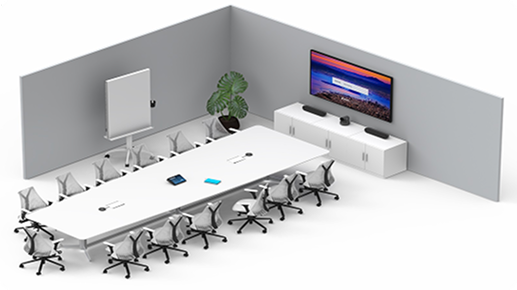
1. What Type of Room Are You Planning?
Choose the scenario that best fits your needs:
A) Small Meeting Room (2 – 4 people)
- Short meetings, quick connection, simple technology.
- 👉 Example Solution: Huddle Room
B) Standard Meeting Room (4 – 10 people)
- Presentations, video conferences, regular meetings, reliable audio + camera.
- 👉 Example: Small Room | 👉 Example: Medium Room
The technical minimum for a room of this size is explained in the guide to a meeting room for 10 people.
C) Exclusive Video Conference Room (6 – 12 people)
- Important meetings, high-quality audio and video, professional appearance.
D) Conference Room (10 – 20+ people)
- Large rooms, multiple microphone zones, professional AV setup.
- 👉 Example: Large Room
E) Training / Learning Center
- Camera coverage, integration of multiple sources, advanced video technology.
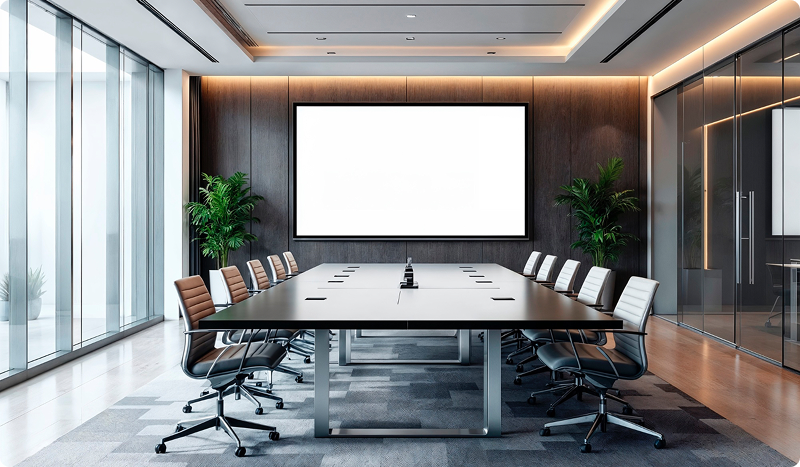
2. Indicative Price Ranges by Complexity
To give you a basic idea:
Basic Solution 3 000 – 5 000 €
- Small rooms, BYOD (Bring Your Own Device – presenter uses their own laptop), simple camera + integrated speaker panel.
Advanced Solution 5 000 – 7 000 €
- Certified Teams/Zoom Room, high-quality camera, microphone with intelligent voice pickup.
Professional Solution 7 000+ €
- Boardroom setup, AI cameras, DSP (the “brain” of the room’s audio system), ceiling microphones, room control. (Exact price depends on the room, acoustics, cabling, and chosen ecosystem.)
A detailed breakdown of costs, including licences and hidden items, is available in the video conferencing room cost guide.
3. How to Choose Between Technologies?
BYOD (Bring Your Own Device)
- Laptop → cable → everything works.
- Simple, low maintenance.
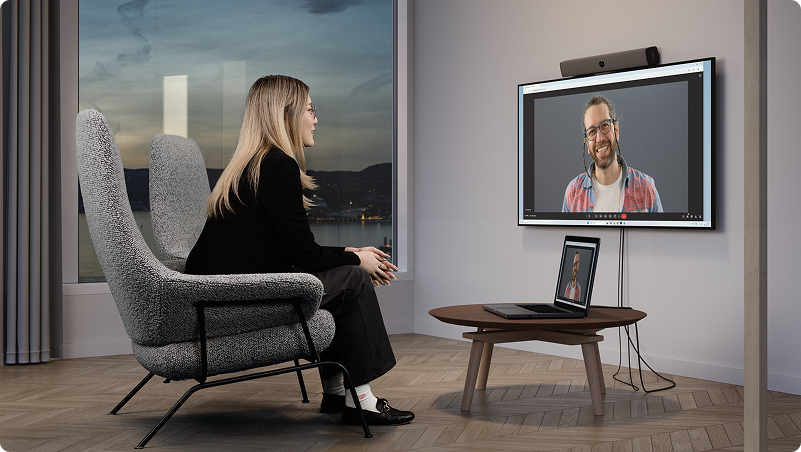
Teams Room / Zoom Room
- Controlled via an in-room device.
- Stable, professional, ideal for companies with high demands.
Pro-Level AV Integration
- For large rooms, complex presentations, and high-quality audio capture and mixing.
Specific configurations for individual room types are covered in the AV technology configuration guide.
4. Which Scenario Best Matches Your Situation?
“We want a simple and reliable room.” → Basic setup + BYOD
“We want professional video calls without manual adjustments.” → Certified Teams/Zoom Room
“We have a large meeting room and need top quality.” → Pro-Level AV Solution (DSP, multiple sources, ceiling microphones)
“We run training sessions / hybrid workshops.” → AI tracking + advanced cameras + multiple input integration
We have a large meeting room and need top-quality performance.
5. Most Common Mistakes When Choosing Meeting Room Technology
Choosing a solution based on price rather than room size and purpose.
Selecting the wrong technology and attempting DIY setup.
Incompatible combination of camera and microphone system.
Overloading the room with technology that goes unused.
Underestimating acoustics (a key factor – invisible, but audible).
Why Clients Choose MediaTech?
30 years of experience in audiovisual technologies.
Comprehensive service: Professional design + installation + support.
Certified partner for Teams/Zoom/Webex/Google Meet solutions.
Member of PSNI Global Alliance: Guarantee of global quality standards.
Exclusivity: Extensive partner portfolio with direct collaboration with manufacturers.
The article on PSNI standards for medium-sized businesses explains how to verify an integrator’s quality.
Tip:
If you’re unsure which type of room is right for you, our team can quickly guide you over a short call, help classify your situation, and recommend the best solution. This way, you won’t waste time on the wrong choice.
Frequently Asked Questions
What type of meeting room do I need for two to four people?
For small teams of two to four people, a huddle room with a basic video bar combining a camera, microphone and speaker in one device is usually sufficient. BYOD connectivity using a personal laptop and a cable is the simplest and most affordable solution.
What is the difference between BYOD and a Microsoft Teams Room or Zoom Room?
BYOD, or Bring Your Own Device, means connecting your own laptop to the room system using a cable. It is simple and affordable. A Microsoft Teams Room or Zoom Room is controlled by a dedicated room device with a touchscreen panel. It is more stable and professional, but it also requires a monthly licence.
How much does meeting room equipment typically cost?
A basic solution for a small room using BYOD starts at approximately €3,000. An advanced solution based on a certified Microsoft Teams Room or Zoom Room typically costs between €5,000 and €7,000. A professional boardroom solution with DSP processing, ceiling microphones and room control starts at approximately €7,000 and can cost considerably more.
What are the most common mistakes when selecting meeting room technology?
The five most common mistakes are choosing equipment based on price instead of the room’s purpose and size, attempting a do-it-yourself installation, combining an unsuitable camera and microphone, overcrowding the room with technology that will not be used, and underestimating the importance of acoustics.
When do I need professional AV integration?
Professional AV integration is recommended for large rooms accommodating more than 10 people, complex presentations using multiple video sources, training sessions, hybrid workshops and boardrooms that require AI camera tracking, ceiling microphones and room control through a touchscreen panel.