How to Avoid a Non-Functional Meeting Room: 7 Hidden Details That Determine the Cost and Quality of a Video Conference
Why Designing a High-Quality Video Conference Requires More Than Just a Floor Plan — and How to Prepare for the Project
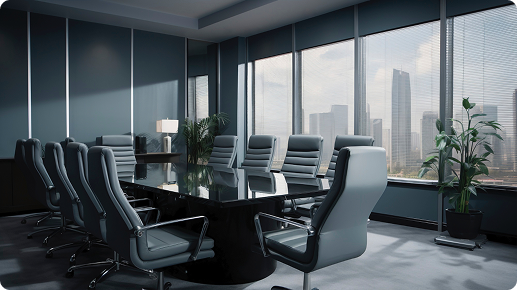
At MediaTech, we believe that every meeting room is unique and deserves a solution tailored precisely to its needs. To design a system that will work flawlessly in your day-to-day reality, we need to see the room with our own eyes.
A precise design relies on more than just the basic dimensions of the space. There are invisible details that are often overlooked during planning, yet they dramatically affect functionality, the meeting experience, and ultimately the total investment.
Here are 7 key factors we consider before sending you a proposal. They will help you understand what to watch out for when setting up your meeting room.
Which type of room you actually need is explained in our overview of meeting room types.
Physics and Space
Acoustics
Risk: If you have luxurious glass walls, a large wooden table, and a hard floor without a carpet, your room reflects sound perfectly. A standard microphone will pick up terrible echo. The other side will hear you as if you were calling from an empty bathroom or a church. They may only understand every third word.
Why we ask about this: If we know you have a “hard” room, we can immediately propose intelligent directional microphones designed to suppress echo (with a DSP processor – Digital Signal Processing).
What it means for you: A DSP-based solution is more expensive than a standard tabletop speakerphone, but it helps you avoid the worst-case scenario: investing thousands of euros in technology that no one wants to use because the poor audio quality gives them a headache.
Further hidden causes of hybrid meeting failures are covered in our article on why video conferences fail.

Lighting and Windows
Risk: A camera is only as good as the lighting. If your meeting room has a large window directly behind participants and the sun is shining, a standard camera will turn you into dark silhouettes. Remote colleagues won’t see your facial expressions or even who is sitting at the table.
Why we ask about this: The placement of windows and the type of lighting tell us what kind of camera sensor is needed.
What it means for you: If you insist on sitting against the light without closing the blinds, we’ll need to choose a professional camera with advanced WDR (Wide Dynamic Range) to properly expose faces even in strong backlighting.
Furniture and Table
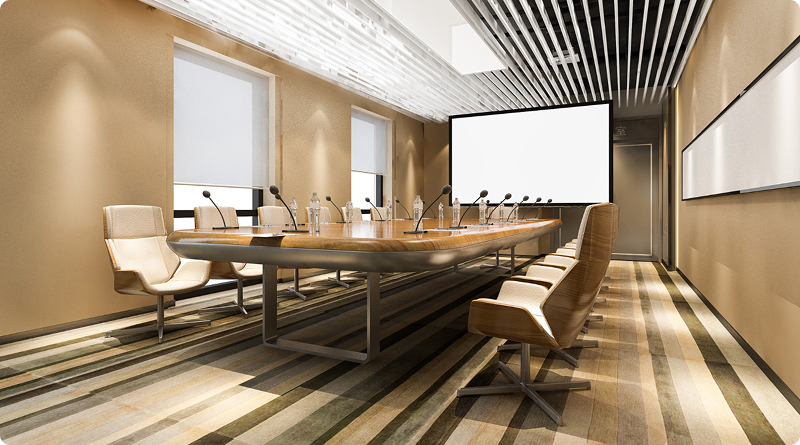
Risk: A solid designer table is often the centerpiece of the room. Our goal is to preserve its clean look without a tangle of cables. At the same time, we fully respect if you don’t want to drill holes for microphones or cable grommets.
Why we ask about this: We need to know the size and shape of the table (U-shape, oval, long rectangle) to determine the number of microphones, as well as your preferences regarding any modifications.
What it means for you: If you prefer a table with no modifications at all, we will design a clean, aesthetic solution with ceiling-mounted microphones and adapt the entire installation architecture accordingly.
People and Habits
Control: BYOD vs. Native Video Conferencing
Risk: You invest in an expensive system, yet still spend the first 10 minutes of every meeting searching for cables, switching inputs, and asking, “Who’s sharing the screen?”
Why we ask about this: This is the biggest decision point that influences everything else:
BYOD (Bring Your Own Device): You arrive with your own laptop, connect a single cable (or wirelessly), and run the meeting from your device. It’s more affordable and flexible.
Native system (Microsoft Teams Rooms / Zoom Rooms): You walk into the room, there’s a touch panel on the table, and you tap a single “Join” button. The meeting starts instantly—no laptop needed.
What it means for you: A native Room System requires a higher upfront investment, but it can save dozens of hours of wasted time in the long run.
Platform: Who Are You Actually Calling?
Risk: Your company system may be set up for MS Teams, but important clients often invite you to Zoom or Google Meet calls. In such cases, your meeting room still needs to connect seamlessly to any platform.
Why we ask about this: If your company communicates exclusively on one platform, we optimize the system specifically for it. However, if you use multiple platforms daily to connect with the outside world, this becomes a key input for the design.
What it means for you: We tailor both hardware and software either to fully leverage your primary platform or to support easy switching (interoperability), ensuring a professional experience in every situation.
Whiteboard: Do You Use Markers and a Board in Meetings?
Risk: Many teams love brainstorming or explaining ideas on a whiteboard. In standard video calls, this can be a challenge—remote participants often only see the presenter’s back and small marker strokes somewhere in the corner of the screen, making them feel less engaged.
Why we ask about this: A physical whiteboard can be elegantly brought into the online world.
What it means for you: If the whiteboard is important, we can design a solution with a “Content Camera” (a second, specialized camera). Using AI, it can make the person standing in front of the board appear transparent and digitally enhance the written content, so remote participants see everything clearly in high quality on their screens.
Infrastructure (What You Don’t See)
Cabling and construction work: Where will the signal run?
Risk: Surprisingly, the most expensive and painful item on the invoice is often not the camera or display, but construction work (cutting into floors or walls), simply because the design didn’t account for how to get the signal from the table to the screen.
Why we ask about this: We need to know whether you have a floor box under the table with power and data, or a conduit (cable pipe) running from the table to the TV. We also check whether the table is an “island” with no existing cable connections.
What it means for you: If we find that floor cabling is missing and you prefer a solution without construction work, we adapt the entire design accordingly. We can use modern options like professional wireless content sharing or elegant cable management solutions.
How much these items actually cost is explained in our pricing guide.
What We Need From You (A Simple Checklist)
Preparing a top-tier meeting room from your side can be a smooth and fast process. To kick off the project and choose the right solution, we only need a few basic inputs.
Specific configurations for individual room types are covered in our AV technology configuration guide.
Just 3 simple steps from you:
Take photos of the room with your phone (3 quick shots are enough: one overall view, one of the windows, and one of the table including what’s underneath)
Tell us which platform you use most often (e.g., “We mainly use MS Teams, but clients sometimes send Zoom invites.”)
Add one sentence about control preferences (e.g., “We want to bring our own laptops,” or “We want a panel we can just tap.”)
From your photos and a single sentence, we can build a complete technical picture and attach a reliable solution to our priced proposal. This way, you get an accurate quote the first time—and protect your budget from “cheap” mistakes that end up being expensive.
Frequently Asked Questions
Why does an AV integrator ask about room acoustics before preparing a quotation?
A room with glass walls, a large wooden table and a hard floor reflects sound. A standard microphone captures the resulting echo, and participants on the other end may understand only every third word. If the room is acoustically challenging, a directional microphone with a DSP processor is recommended to suppress the echo. It costs more than a standard tabletop speakerphone, but without it, equipment worth thousands of euros may remain unused.
How does a window in a meeting room affect camera selection?
If a window is directly behind the participants and sunlight is shining through it, a standard camera may show only dark silhouettes. Remote participants will be unable to see facial expressions or identify who is sitting at the table. The solution is a professional camera with Wide Dynamic Range, which can properly expose faces even in strong backlighting.
Do we need to drill into the meeting room table to install microphones?
No. The shape and size of the table, whether U-shaped, oval or a long rectangle, determine the number of microphones required, but not necessarily their placement. If you do not want any modifications to the table, a solution with ceiling microphones can be designed, with the architecture of the entire installation adapted accordingly.
Which is better for a meeting room: BYOD or a native Microsoft Teams Room?
BYOD means that users bring their own laptops and either connect a cable or share content wirelessly. It is less expensive and more flexible. A native Microsoft Teams Room has a touchscreen panel on the table, allows users to start a call with a single tap and does not require a laptop. It costs more initially, but can save dozens of hours otherwise spent searching for cables and switching inputs.
Why is cabling often the most expensive item on the invoice rather than the camera?
If the design fails to address how the signal will travel from the table to the display, construction work, floor cutting and wall modifications may become necessary. If floor cabling is missing and construction work is not acceptable, the design must be adapted using professional wireless video transmission or architectural cable trunking.